No fluff. Just free, new stuff. (Demos, credits, updates and the occasional thing we're proud of)
Subscribe to iBoomto
Thanks for subscribing! Stay tuned for demos, credits, and updates.
User Manual > How to > How to download, install, and switch local models?
How to download, install, and switch local models?
By Coco | Updated On November 10, 2026 iBoomto Support Team
SHARE THIS POST
On This Page
What You’ll Need Before You Start
How to Install and Switch Local AI Models
FAQs
iBoomto AI's AI Chat lets you interact with AI, ask questions, and work with your documents through a simple chat interface.
Besides the cloud chat mode, IBoomto AI also offers its users the option to use the Local Chat Mode for those who want to ensure their files remain private and all processing happens on their device.
With just a few clicks, you can download a local AI model and start chatting with your documents directly on your PC. Let's take a closer look at iBoomto AI's Local Mode and see how to download, install, and switch between local AI models.
What You’ll Need Before You Start
iBoomto AI installed on your computer, supported Windows 10 (64-bit) and Windows 11 (64-bit)
Please make sure your device meets the following minimum specifications:
Processor: A compatible 64-bit processor
Memory: 4 GB RAM
Storage: 4 GB of free disk space
A stable internet connection for the one-time download.
iBoomto to AI Local Models
How to Install and Switch Local AI Models
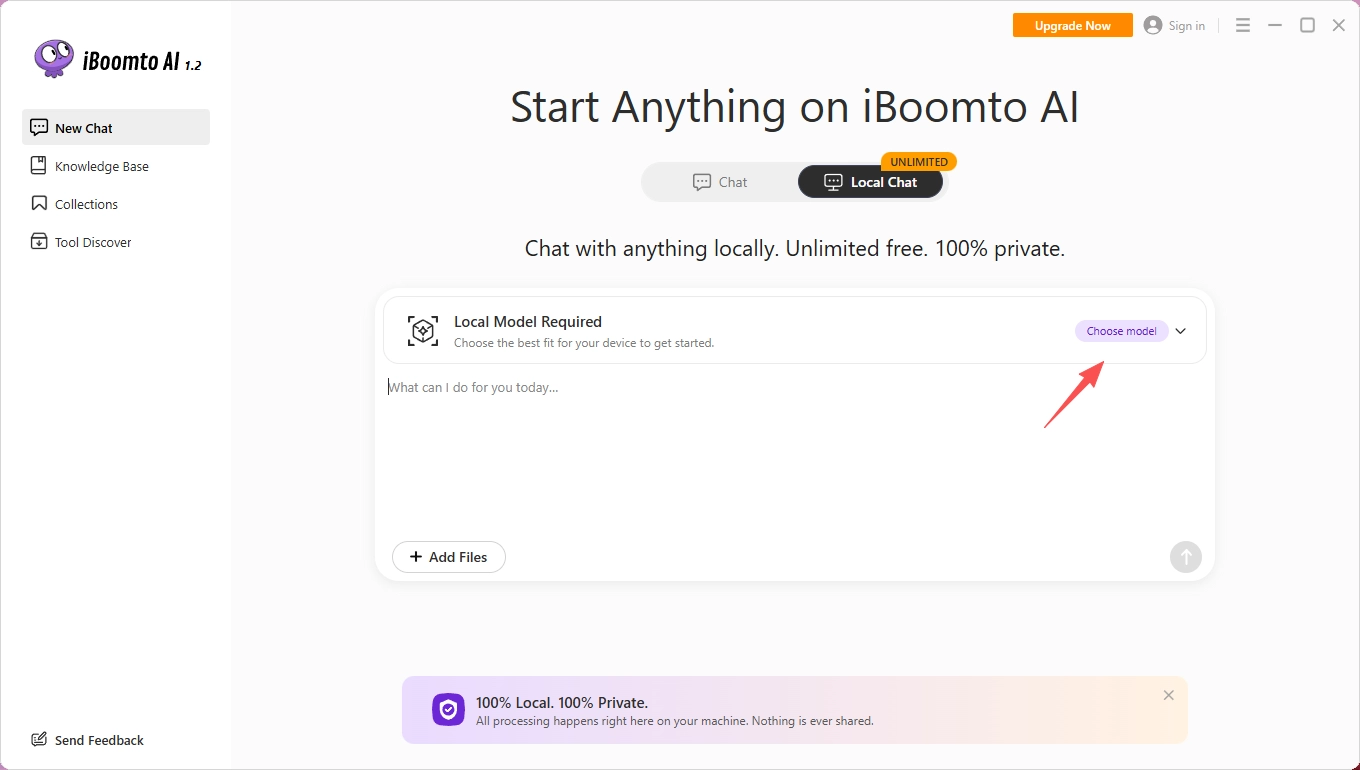
Step 1
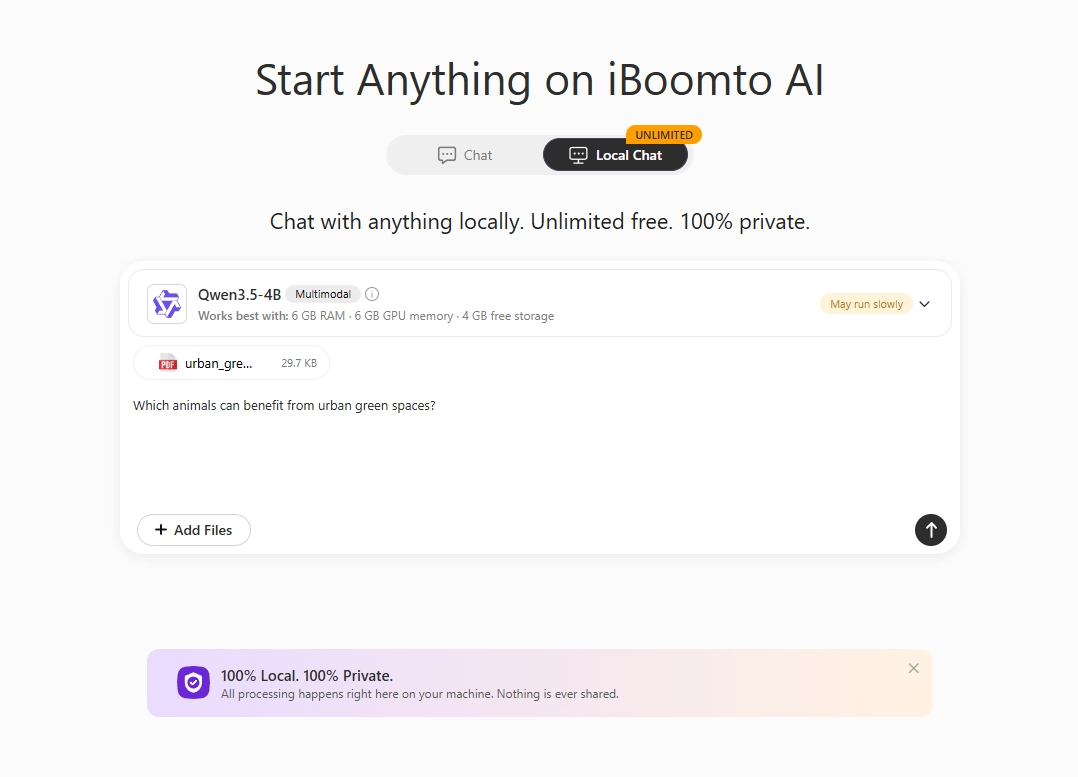
Select Local Chat on the main interface of iBoomto AI, then click choose model.
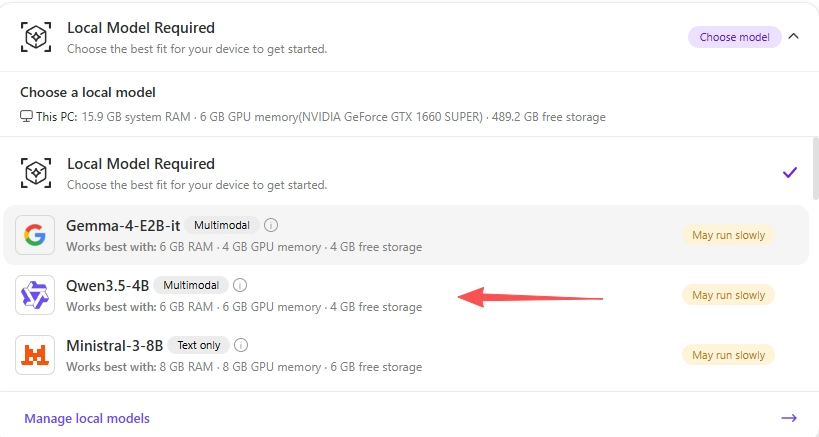
Step 2
Choose the model you want to install. For this example, we'll use Qwen3.5-4B
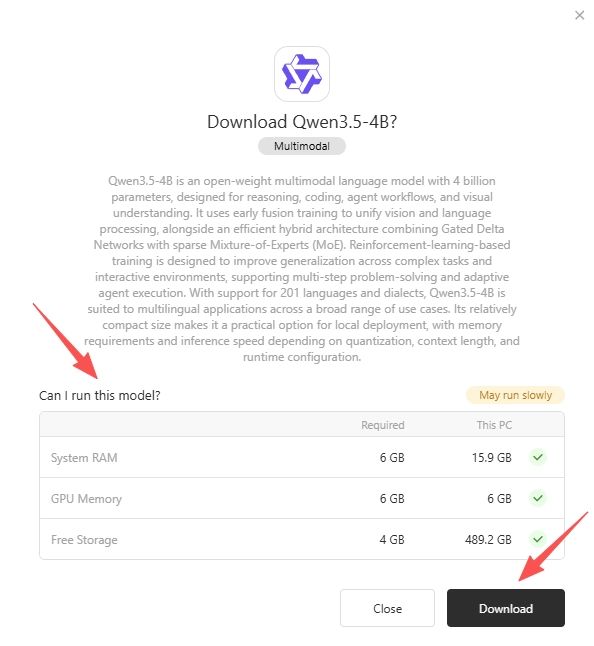
Step 3
Please first confirm whether your PC meets the requirements for running this model. Then click Download.
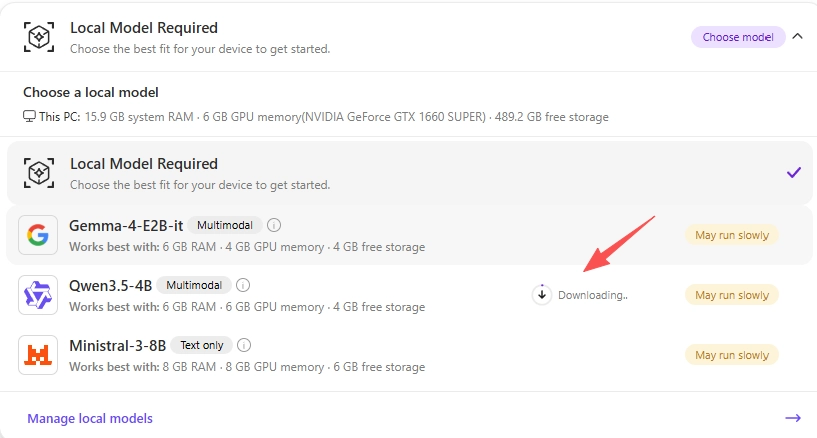
Step 4
Wait while the download runs. You can keep the window open and check progress at any time.
Step 5
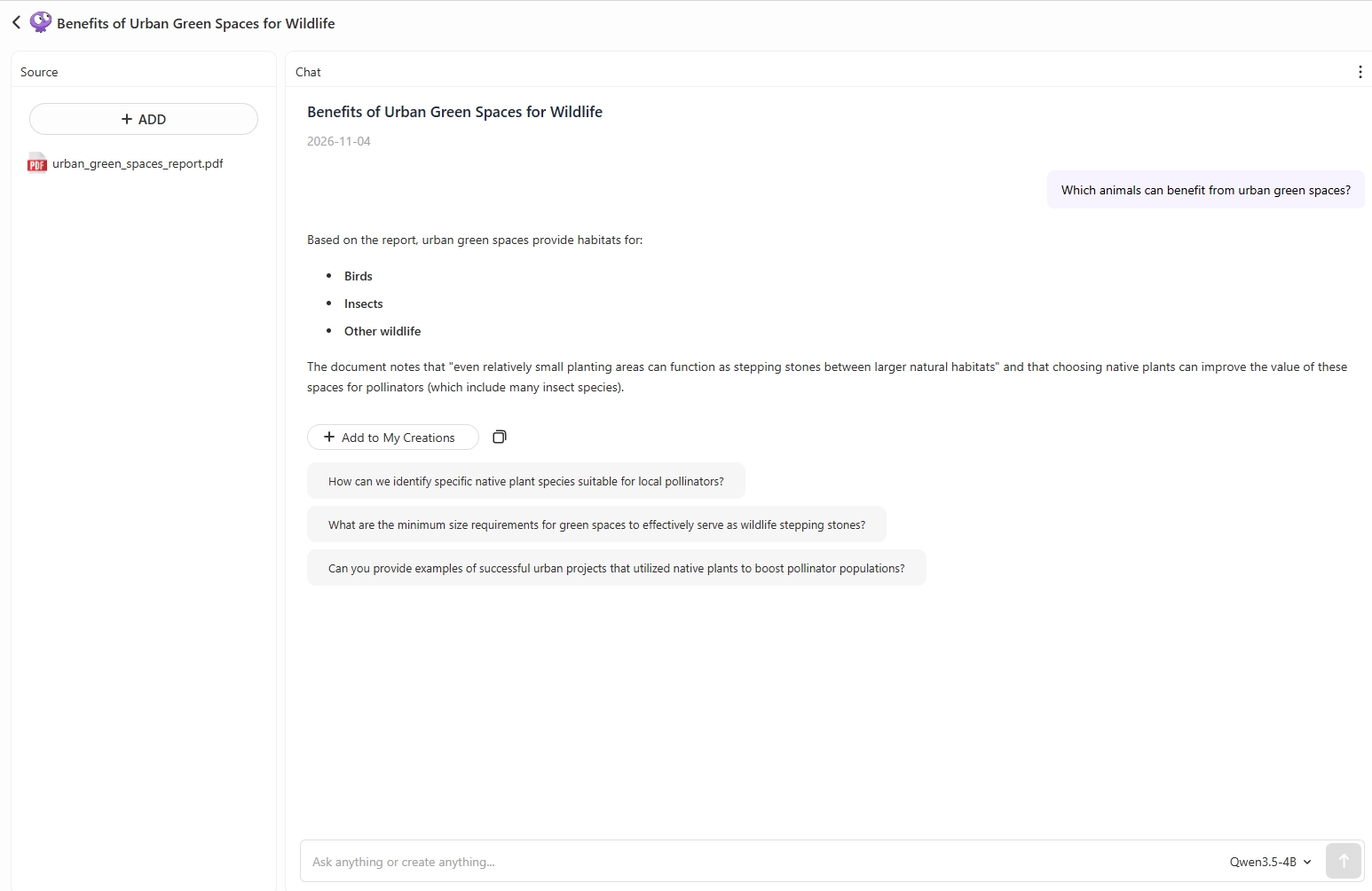
Once the local model download is complete, it will be installed automatically. You can then upload files and start chatting directly.
Step 6
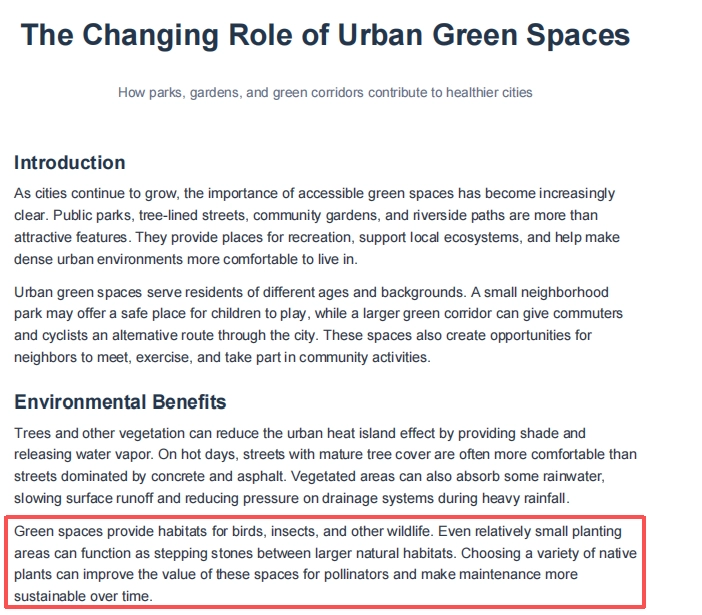
Review and verify whether the response is correct.
You can also refer to the original document to verify that the information in the response is consistent with the source.
Step 7
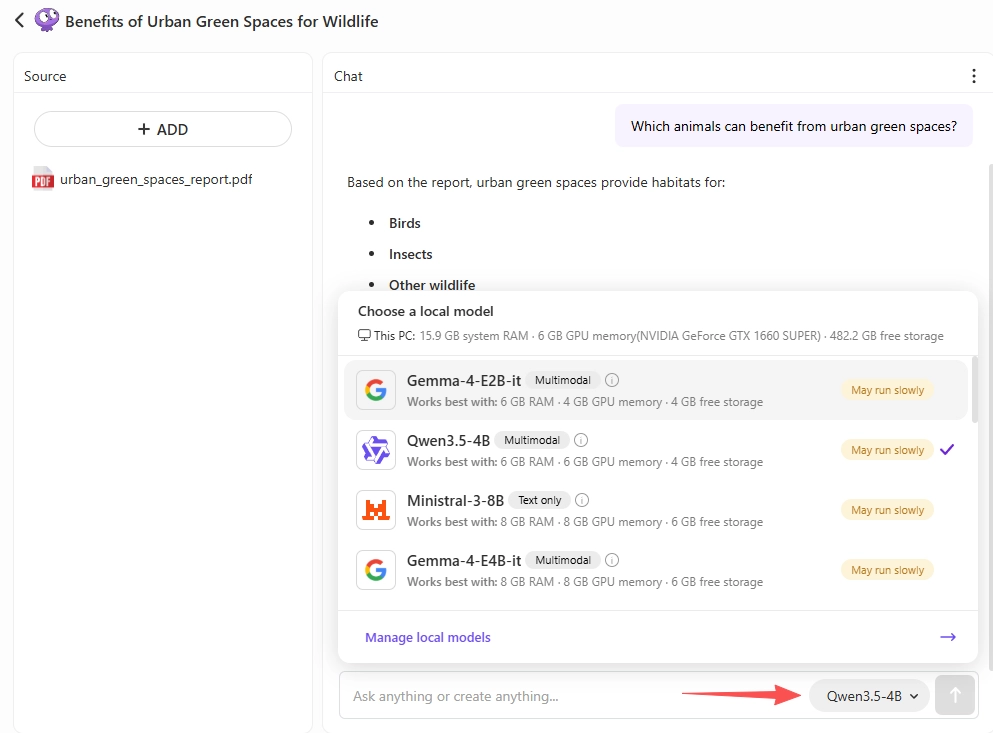
If you have downloaded multiple local models, you can switch between them with just a single click.
FAQs
Yes. With iBoomto AI, you can install a local model on Windows and run them for free.
Yes. Everything runs locally - your files and prompts never leave your machine. There’s no telemetry sent to our servers about what you’re running or what you’re saying to the model.
You only need an internet connection when downloading the model for the first time; no connection is required for subsequent chatting.
We highly suggest starting with a lightweight model that is compatible with your PC. This category of models generally has under 4B parameters, a file size of 1 - 4 GB, and can run on a CPU with 8 GB RAM, no GPU needed.
The number refers to the number of parameters (weights) in the model. Generally, models with more parameters can handle complex tasks better, provide more detailed responses, and offer stronger reasoning capabilities. However, they also require more RAM and may run more slowly.