iBoomto AI

Get More Done with Your Documents on Windows

Ask questions, extract key information, summarize files, edit PDFs, and create mind maps with iBoomto AI. Choose online or local AI models for supported tasks and keep your document work in one app.

Free Download
iBoomto AI
Subscribe Now
Subscribe via mobile and get free access to iBoomto AI agent — sent straight to your email.

Straightforward to Use

Get work and study done through simple, natural-language workflows, with no learning curve, built for everyday Windows users.

Wide Adaptation

Works across PDFs, documents, folders, webpages, and images with focused workflows built for your real-world work, study, and research.

Online & Local AI Models

Handle your work efficiently using leading AI models from Gemma, DeepSeek, IBM Research, Llama, and more.

Greater Control

Track every step of your source data within the workflow. Choose exactly what the AI agent software accesses on your device, with no extra data reach.
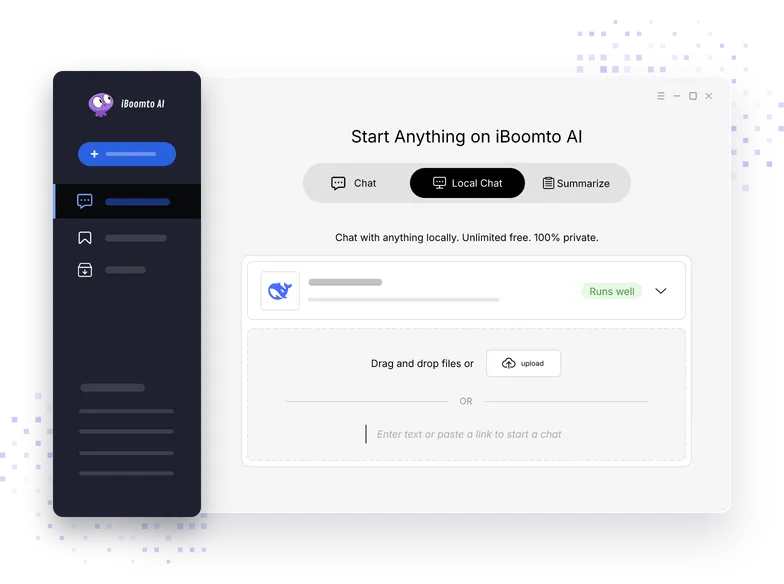
Local AI Models for Documents
On-Device Processing

Work with Local AI Models on Windows

Equipped with a strong collection of local AI models, iBoomto AI guarantees truly local processing. These models are easy to implement without any coding, free to use, and come with no limits. You remain in full control of your data at all times — no uploading, no external server connections, no unauthorized sharing or storage. Work with sensitive and confidential documents with confidence.

Free Download
Subscribe to iBoomto
AI CHAT

Smart AI Document Assistant, Right on Your Desktop with AI Chat

iBoomto AI delivers instant AI document processing via conversational AI, tailored to the way you work.

Find the Information You Need

Extract text, graphs, images, and other custom content from documents and instantly export organized results. It gives instant responses to anything you ask for.

Understand the Main Points

Turn complex documents into concise overviews to grasp the main points before you review the full source.

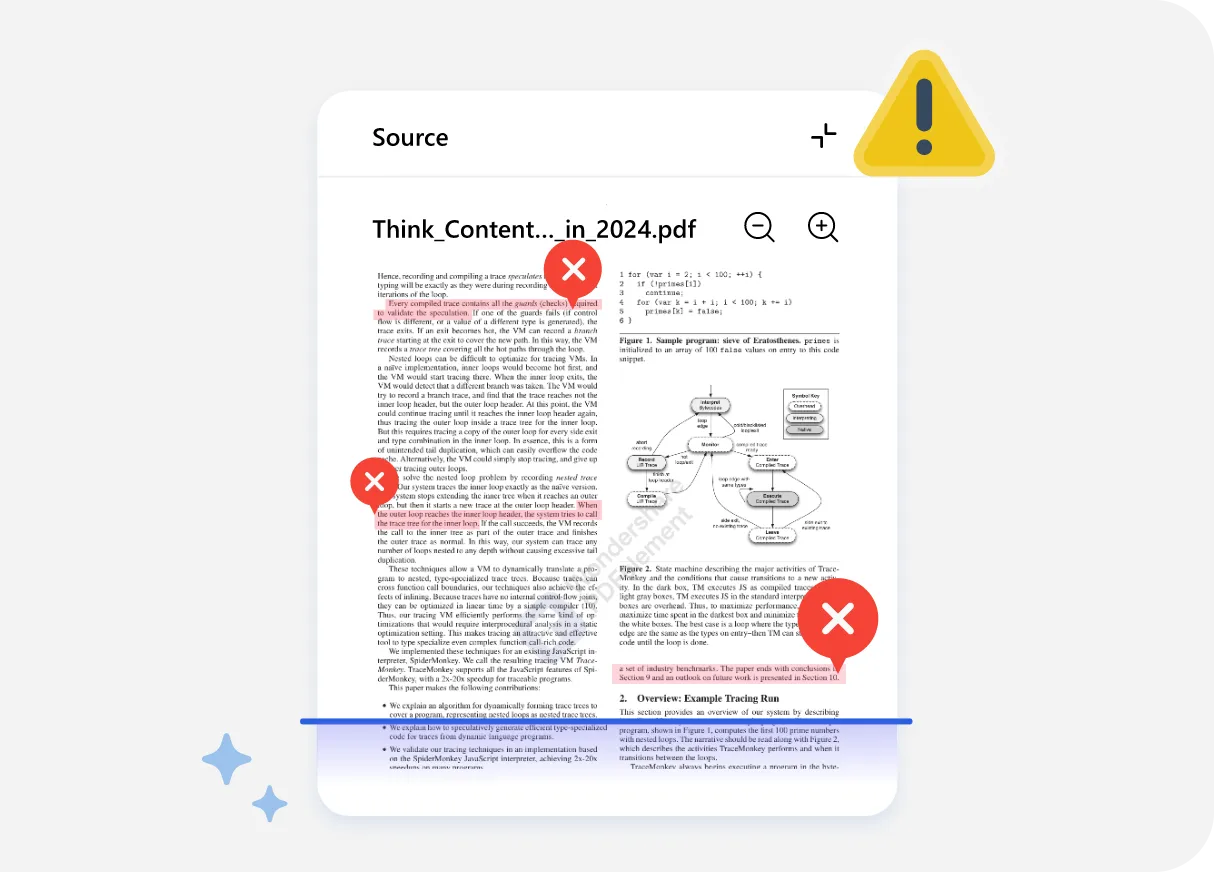
Review Potential Issues

Analyze your documents to flag inconsistencies, missing information, and anything that deserves a closer human look, improving accuracy while cutting review time.

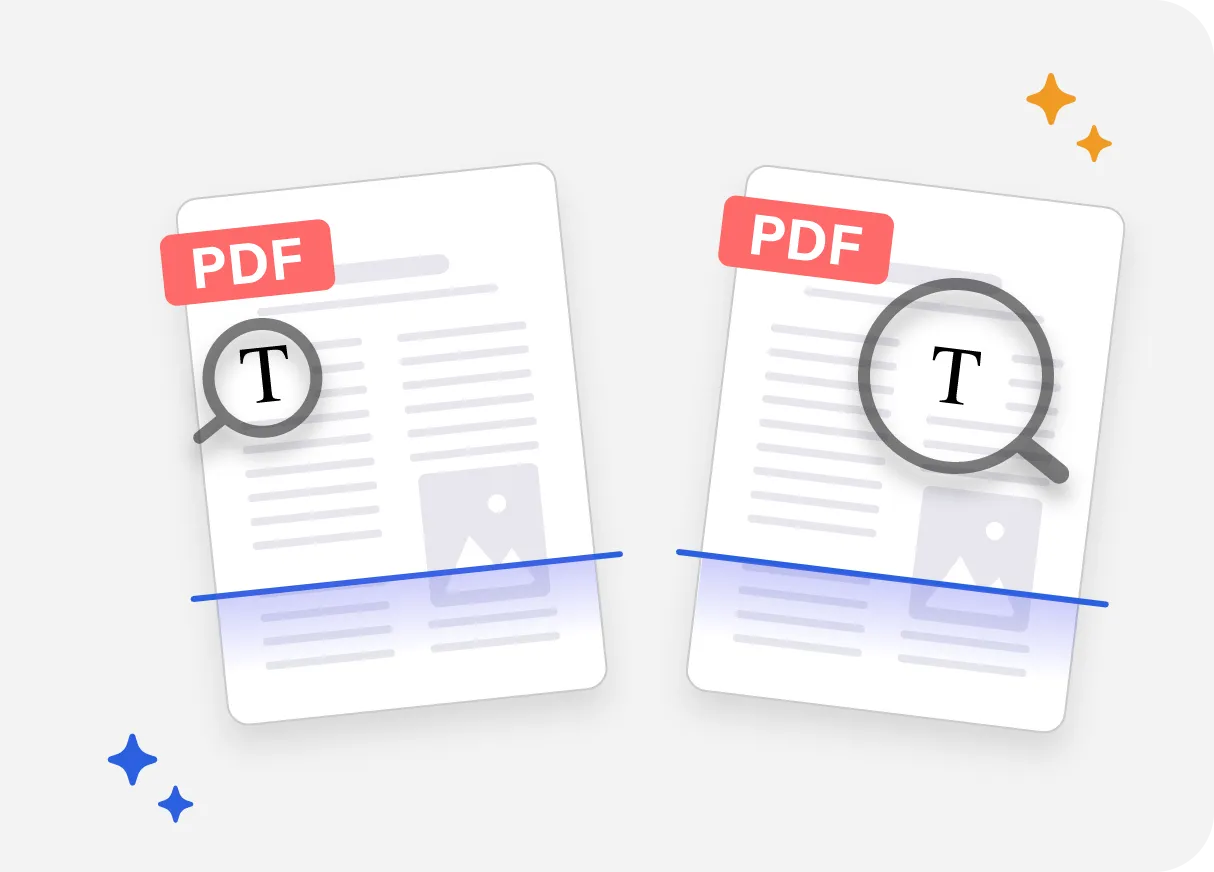
Compare Versions and Sources

Compare multiple document versions at once to identify version changes, ensure consistency, uncover conflicts, and manage feedback efficiently in a unified view.
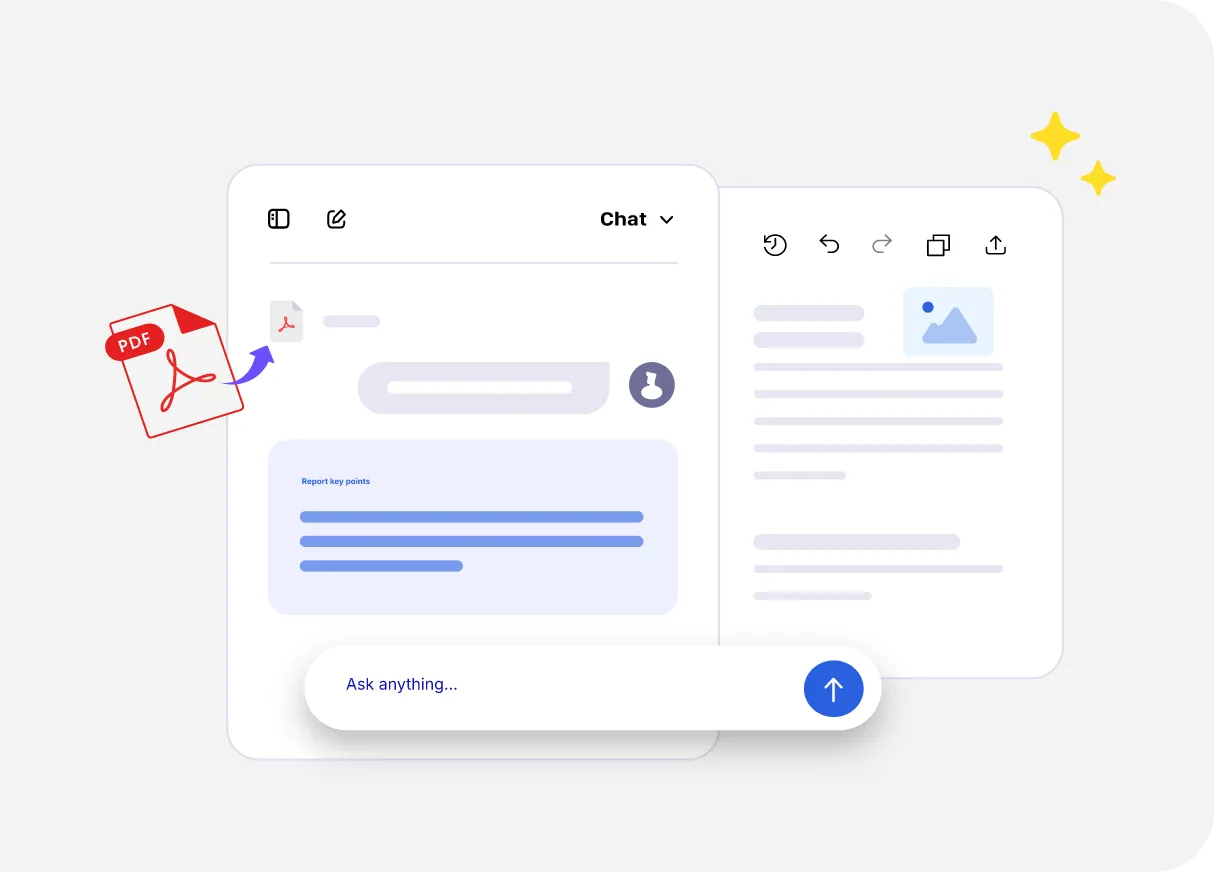
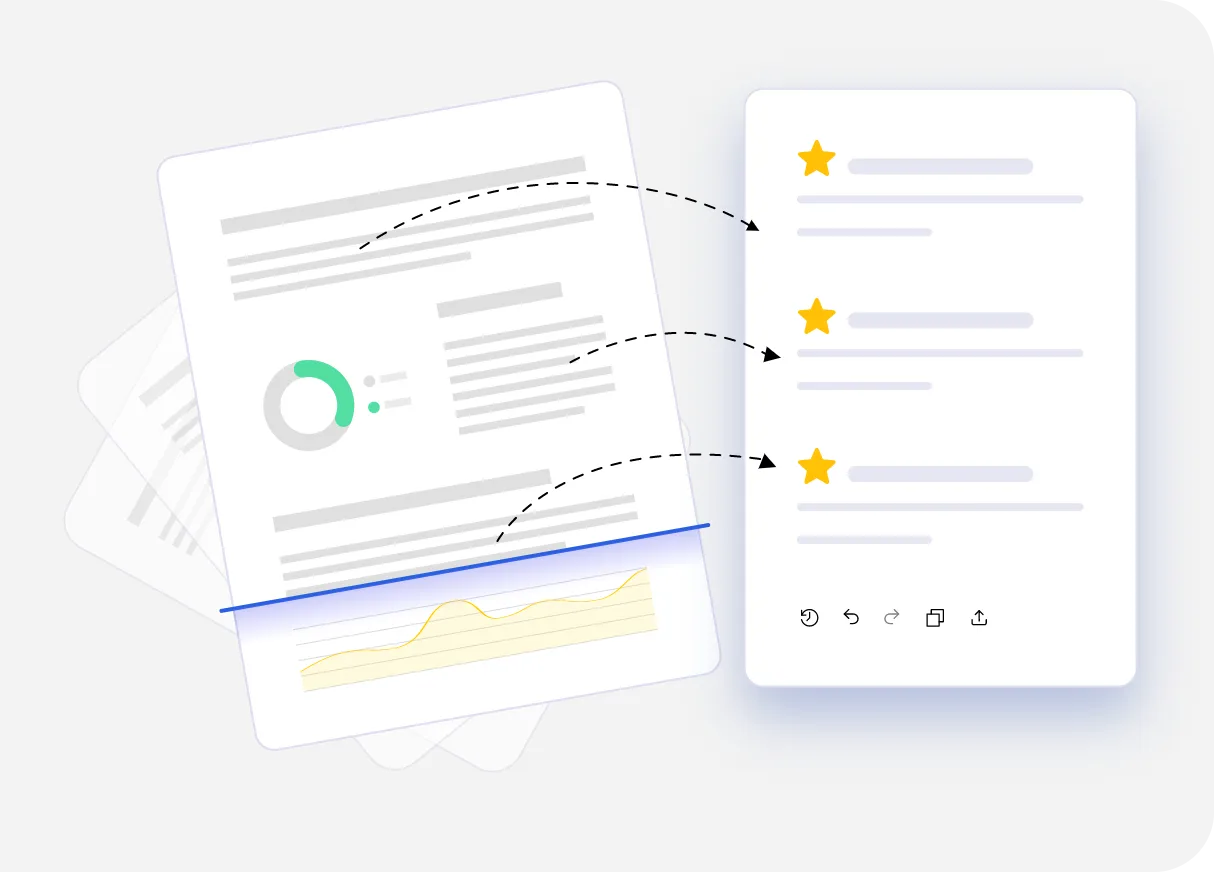
Extract Key PointsSummarize & Read Long FileQuick Doc ReviewingCompare Multiple Files
PDF Editor

Edit, Transform, and Secure PDFs with the iBoomto AI Agent Software

iBoomto AI handles your PDFs end-to-end—viewing, editing, and re-organizing documents in one place, no app-switching required. Ask it to add or edit text, manage pages, annotate, compress files, or redact confidential information, and it gets all done. Need a different format? It converts PDFs to text, PowerPoint, Excel, or Word within the same document workflow.

Free Download
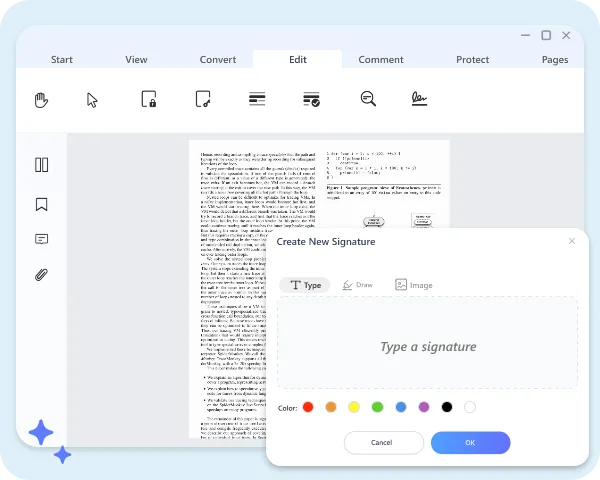
iBoomto AI PDF Editor
Subscribe Now
Document Generator

Turn Ideas and Source Material into Useful Documents

The desktop AI Agent transforms ideas into ready-to-use PDF, Word, Excel, PowerPoint, and MindMap files from a simple prompt. With support for multiple languages, customizable writing styles, and audience-focused content, iBoomto AI adapts to diverse business and creative needs—from executive pitch decks to localized marketing proposals to structured project flowcharts.

Free Download
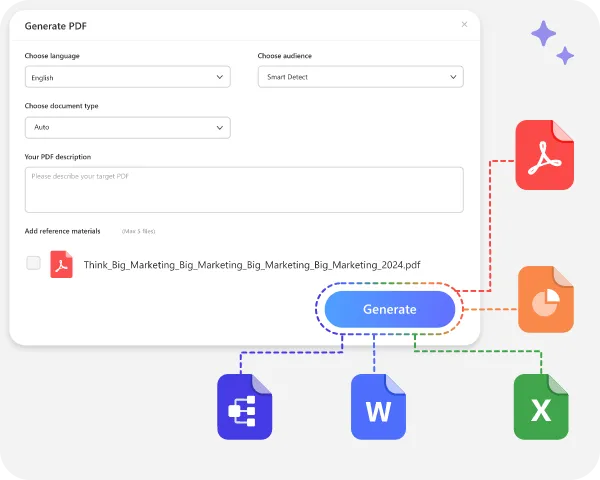
iBoomto AI Document Generator
Subscribe Now
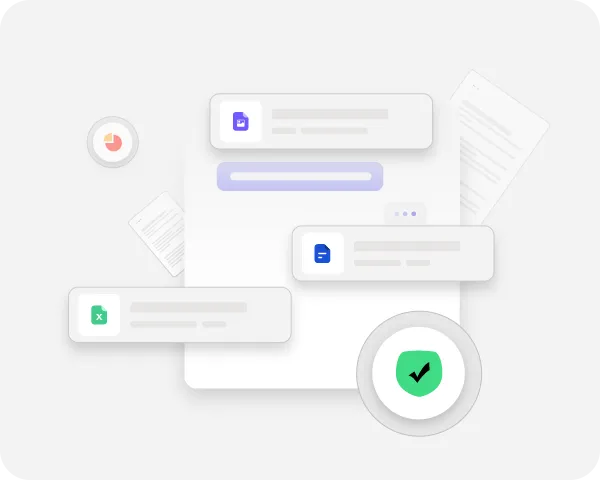
Privacy by Nature

iBoomto AI Stands for Privacy, Without Exception

Set up AI models, work with files, make adjustments, and save new documents. Every action happens transparently, right on your device.

Go Local Now
iBoomto AI Stands for Privacy, Without Exception
Subscribe Now
Comparison

Cloud or Local AI Models:
Choose What Fits Your Document Tasks

Local models keep things private but require high hardware specs. Online models are simple to start and multi-skilled but can't fully guarantee privacy. Security or intelligence? We aim for both.

Local ModelsCloud Models
AccessibilityRun on your device and can work without an internet connection after setup.Require an internet connection.
Data PrivacyEverything happens on your device under your full control, giving you greater control over sensitive files.Send data to an online service for processing. Review the provider’s privacy policy before using sensitive files.
CapabilitiesCapabilities depend heavily on your computer’s processor, GPU, memory, and the local model you choose.Can support larger models and more complex, multi-step tasks without relying heavily on your computer’s hardware.
CostLocal AI models handle everything at no cost as your device provides the computing power.Free usage may be limited; additional usage can require credits or a paid plan.
SpeedDepends on your processor, GPU, memory, and selected model.Depends on the model, server availability, and internet connection.
Best forPrivate files, offline work, and users who want on-device control, provided their computer meets the selected model’s hardware requirements.Non-sensitive files and tasks that benefit from larger models or more complex, multi-step capabilities.
Try It NowTry It NowTry It NowTry It Now
WORKFLOW

Bring Your Document Tasks Together in iBoomto AI

Use iBoomto AI to work through document tasks, from reviewing source files to preparing useful outputs. Describe what you need in AI chat, with online and local models available for supported tasks. Review and refine the results as you go.

01

Start with Source Files

Add your source files and describe the result you need. iBoomto AI reads layouts, tables, and visuals with LLM-powered parsing and layout-aware OCR — understanding not just the text, but what it means and how it connects.

02

Analyze & Verify

Once your files are in, the iBoomto AI agent filters out noise and surfaces what matters, and then checks it against trusted sources to catch errors or fraud early. You're left with clean, verified data, ready for deeper questions.

03

Summarize Findings

After verification, findings are condensed into clear summaries as brief or detailed as you need.

04

Organize Results

Summaries, datasets, and references are then arranged into a structured layout featuring customizable detail levels, which you can preview on-screen or fine-tune with the built-in PDF editor.

05

Get a Presentation-Ready PDF Report

You'll get a polished, consistently formatted report that is ready to review, share, or export to any platform.

Beyond PDFs, the Same Flexibility Applies to Word, Excel, Presentations, and More.

The path is yours to choose — start wherever you need, skip what you don't, whether that's unlocking a file, converting formats, or jumping straight to a finished report.

Free DownloadSubscribe Now
Subscribe via mobile and get free access to iBoomto AI agent — sent straight to your email.
SUPPORTED TYPES

Use iBoomto AI to Handle Documents You Use Every Day

Rapidly process information and data from various file formats on your iBoomto AI workplace.

Articles.doc
Vendor Proposals.pdf
Essays.doc
Academic Theses.doc
Meeting Transcripts.txt
Project Briefs.doc
Contracts.pdf
Assessment Documents.doc
Sales reports.xls
HR Policies.doc
Invoices.pdf
Audit Records.doc
Research Papers.pdf
Technical Manuals.pdf
Product Specs.doc
Legal Documents.doc
Compliance Filings.pdf
Emails.eml
Process More ->
How It Works

How to Use the iBoomto AI Agent for Free

Powerful yet simple. Step into an effortless workflow with iBoomto AI.
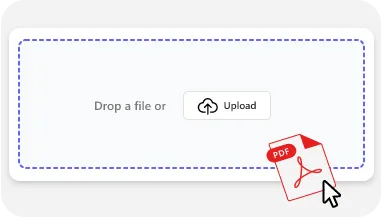
Import a File into iBoomto AI Agent
1

Upload a Document File

Drag and drop your file to get started. iBoomto AI Agent supports a wide range of formats, including PDF, Word, Excel, PowerPoint, CSV, Mind Maps, Markdown, web URLs, images, and TXT files.
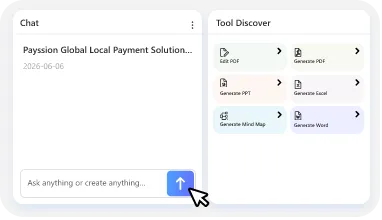
Chat with AI for Documents
2

Tell iBoomto What You Need

Pick from ready-made functions. Summarize, extract, analyze, rewrite, and more without writing complex prompts. Or type your own request if you want more control. Either way, iBoomto AI Agent delivers a reliable, ready-to-use result.
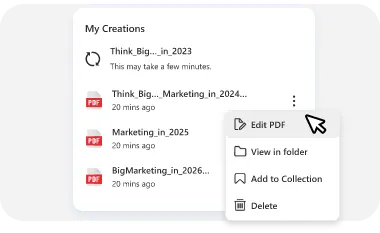
Get the Final Report
3

Get Your Work Done

iBoomto AI generates context-aware results based on your inputs. Review, edit, export, or reuse the generated outputs directly within the platform. No extra steps, and no switching tools.

USE CASES

See How iBoomto AI Handles Real Work and Study

AI Agent for Office Professionals

Office Professionals

Take control of your workday with iBoomto AI. You can run AI contract review, pull critical insights from meeting notes, summarize lengthy market research, and process invoices, all in a flash. iBoomto frees you from busywork so you can focus on driving strategy, innovation, and stronger business relationships.

AI Agent for Data Specialist

Data Specialist

With iBoomto AI, data-savvy professionals can transform scattered data from PDFs, CSV files, plain text, and more into clean, structured outputs. Whether you need to classify, label, and organize data assets, extract insights from key metrics, or turn raw information into actionable strategies, iBoomto automates the entire process. At every stage of the workflow, you receive accurate, validated results quickly and with confidence.

AI Agent for Academic Researchers

Academic Researchers

As a researcher, you can use the iBoomto AI agent to start smarter research. With AI-assisted synthesis, iBoomto enables you to extract key citations with source links, cross-validate findings, pinpoint research gaps, and instantly generate structured outlines from massive inputs. No manual digging required!

AI Agent for Students

Students

Turn your readings, notes, and course materials into clear summaries, compare sources side by side, and organize information for deeper study without losing the thread of what you're learning. AI-generated answers are here to support your review, not replace it. You can also ask follow-up questions based on the materials to deepen your understanding, reinforce learning, and study more effectively.

AI Agent for Creative Teams

Creative Teams

Use iBoomto AI to unleash creativity in your team from the first idea to the final deliver. Turn brainstorming sessions into actionable ideas, repurpose existing materials into summaries, outlines, and online posts, and refine documents for consistent style, tone, and formatting before publication. Streamline collaboration and create stunning content at scale.

AI Agent for Office Professionals

Office Professionals

Take control of your workday with iBoomto AI. You can run AI contract review, pull critical insights from meeting notes, summarize lengthy market research, and process invoices, all in a flash. iBoomto frees you from busywork so you can focus on driving strategy, innovation, and stronger business relationships.

AI Agent for Academic Researchers

Academic Researchers

As a researcher, you can use the iBoomto AI agent to start smarter research. With AI-assisted synthesis, iBoomto enables you to extract key citations with source links, cross-validate findings, pinpoint research gaps, and instantly generate structured outlines from massive inputs. No manual digging required!

AI Agent for Students

Students

Turn your readings, notes, and course materials into clear summaries, compare sources side by side, and organize information for deeper study without losing the thread of what you're learning. AI-generated answers are here to support your review, not replace it. You can also ask follow-up questions based on the materials to deepen your understanding, reinforce learning, and study more effectively.

AI Agent for Data Specialist

Data Specialist

With iBoomto AI, data-savvy professionals can transform scattered data from PDFs, CSV files, plain text, and more into clean, structured outputs. Whether you need to classify, label, and organize data assets, extract insights from key metrics, or turn raw information into actionable strategies, iBoomto automates the entire process. At every stage of the workflow, you receive accurate, validated results quickly and with confidence.

AI Agent for Creative Teams

Creative Teams

Use iBoomto AI to unleash creativity in your team from the first idea to the final deliver. Turn brainstorming sessions into actionable ideas, repurpose existing materials into summaries, outlines, and online posts, and refine documents for consistent style, tone, and formatting before publication. Streamline collaboration and create stunning content at scale.

FAQs

FAQs About iBoomto AI

Everything you need to know before getting started with iBoomto AI.

Still have questions?

Contact Us
What is iBoomto AI?+-
iBoomto AI is a private, local document AI for Windows that combines AI document processing, PDF editing, document creation, and more into a single hub. With both online and local AI models, users can use what fits for their documents in one continuous workflow without switching among applications.
What Can I Do with iBoomto AI?+-
iBoomto brings everyday document tasks into one app. Choose a built-in tool or describe what you need in AI chat to read, extract, summarize, proofread, edit, and create documents. Powered by local LLMs, OCR, analytical models, and powerful AI engines, iBoomto achieves smarter workflows and more efficient document processing.
How do I Choose Between Online and Local AI Models?+-
If privacy and offline use are your priorities, a local model is the way to go. For everyday yet complex tasks that don't involve sensitive data, online models are usually the better fit.
Does Using Local Models Consume Credits or Incur Token Charges?+-
No, iBoomto AI local models are completely free and never consume credits or tokens.
Why is My Local AI Model Slow or Unable to Load?+-
Local models rely heavily on your hardware—specifically your CPU, GPU, RAM, and storage. If performance is lagging, try closing background apps, freeing up system resources, or switching to an online AI model.
Does the iBoomto AI Agent Work Offline?+-
Yes. iBoomto AI is built primarily on local AI models, giving it fully offline capability. Once you've installed an AI model from the preset library, you can work with your documents without needing an internet connection. Meanwhile, all data is stored securely on a local drive of your choosing and is never uploaded to remote servers.
What Windows Versions Are Supported by iBoomto AI?+-
iBoomto AI is available for Windows 10 (64‑bit) and Windows 11 (64‑bit)
What are the Minimum System Requirements?+-
To ensure basic operation, including online AI models, please make sure your device meets the following minimum specifications:
  • Operating system: Windows 10 (64-bit) or Windows 11 (64-bit)
  • Processor: A compatible 64-bit processor
  • Memory: 4 GB RAM
  • Storage: 4 GB of free disk space
For the best experience with local AI models, we recommend the following:
  • GPU: NVIDIA GeForce RTX 20 series or newer
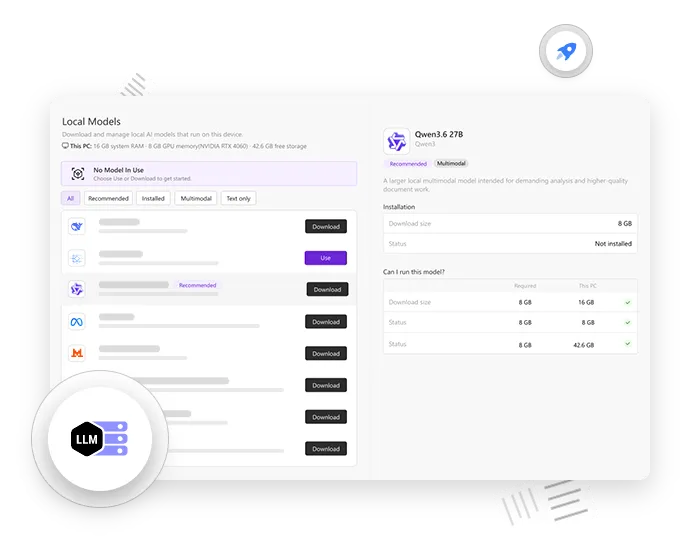
  • Memory: At least 8 GB of RAM (16 GB, 32 GB, or more for larger models)
  • VRAM: At least 6 GB (8 GB, 12 GB, or more for larger models)
  • Storage: Additional disk space for model downloads, ranging from 1 GB to 26 GB per model.
iBoomto AI will evaluate your device and indicate whether each model will run well, may run slowly, or is not supported. Please follow the on-screen instructions to view the full specifications for each model.
Is iBoomto AI Free to Use?+-
iBoomto AI is one of the few free AI agents that places no limits on local models and most other core features. Whether you're chatting with AI, generating documents, or editing files, no credits or tokens are required. iBoomto AI also offers Pro plans for users who need advanced file-processing access and more powerful AI models.
How is My Document Data Processed and Stored?+-
All data processed through Local Chat stays entirely on your machine. For a few features that rely on server-based models, iBoomto collects only the necessary data to ensure smooth functionality. Even so, that data is strictly protected and automatically purged shortly after use.
Are Extra Plugins Required?+-
No. iBoomto AI runs without the need of extra plugins, browser extensions, or third-party programs. You can handle virtually all document tasks immediately after installation, yet with full control over whether to set up specific models from the library for expanded needs.
What File Format Does iBoomto AI Support?+-
iBoomto AI supports all common document formats, including PDF, Word, Excel, PowerPoint, CSV, and Mind Maps. It is also capable of processing Markdown files, web URLs, images, plain text (TXT), and even an entire file folder.
Can I Process Bulk Documents at One Time?+-
Yes. The AI agent software supports batch document processing. You can add up to 10 files at a time for batch processing.
Is iBoomto AI Easy for Beginners to Use?+-
iBoomto AI is built for simplicity. Featuring a clean, intuitive UI, conversational AI, and ready-to-use functions, it runs smoothly out of the box without complex setup and a steep learning curve. Most users feel comfortable within minutes.
FAQs

FAQs About iBoomto AI

Everything you need to know before getting started with iBoomto AI.

What is iBoomto AI?+-
iBoomto AI is a private, local document AI for Windows that combines AI document processing, PDF editing, document creation, and more into a single hub. With both online and local AI models, users can use what fits for their documents in one continuous workflow without switching among applications.
What Can I Do with iBoomto AI?+-
iBoomto brings everyday document tasks into one app. Choose a built-in tool or describe what you need in AI chat to read, extract, summarize, proofread, edit, and create documents. Powered by local LLMs, OCR, analytical models, and powerful AI engines, iBoomto achieves smarter workflows and more efficient document processing.
How do I Choose Between Online and Local AI Models?+-
If privacy and offline use are your priorities, a local model is the way to go. For everyday yet complex tasks that don't involve sensitive data, online models are usually the better fit.
Does Using Local Models Consume Credits or Incur Token Charges?+-
No, iBoomto AI local models are completely free and never consume credits or tokens.
Why is My Local AI Model Slow or Unable to Load?+-
Local models rely heavily on your hardware—specifically your CPU, GPU, RAM, and storage. If performance is lagging, try closing background apps, freeing up system resources, or switching to an online AI model.
Does the iBoomto AI Agent Work Offline?+-
Yes. iBoomto AI is built primarily on local AI models, giving it fully offline capability. Once you've installed an AI model from the preset library, you can work with your documents without needing an internet connection. Meanwhile, all data is stored securely on a local drive of your choosing and is never uploaded to remote servers.
What Windows Versions Are Supported by iBoomto AI?+-
iBoomto AI is available for Windows 10 (64‑bit) and Windows 11 (64‑bit)
What are the Minimum System Requirements?+-
To ensure basic operation, including online AI models, please make sure your device meets the following minimum specifications:
  • Operating system: Windows 10 (64-bit) or Windows 11 (64-bit)
  • Processor: A compatible 64-bit processor
  • Memory: 4 GB RAM
  • Storage: 4 GB of free disk space
For the best experience with local AI models, we recommend the following:
  • GPU: NVIDIA GeForce RTX 20 series or newer
  • Memory: At least 8 GB of RAM (16 GB, 32 GB, or more for larger models)
  • VRAM: At least 6 GB (8 GB, 12 GB, or more for larger models)
  • Storage: Additional disk space for model downloads, ranging from 1 GB to 26 GB per model.
iBoomto AI will evaluate your device and indicate whether each model will run well, may run slowly, or is not supported. Please follow the on-screen instructions to view the full specifications for each model.
Is iBoomto AI Free to Use?+-
iBoomto AI is one of the few free AI agents that places no limits on local models and most other core features. Whether you're chatting with AI, generating documents, or editing files, no credits or tokens are required. iBoomto AI also offers Pro plans for users who need advanced file-processing access and more powerful AI models.
How is My Document Data Processed and Stored?+-
All data processed through Local Chat stays entirely on your machine. For a few features that rely on server-based models, iBoomto collects only the necessary data to ensure smooth functionality. Even so, that data is strictly protected and automatically purged shortly after use.
Are Extra Plugins Required?+-
No. iBoomto AI runs without the need of extra plugins, browser extensions, or third-party programs. You can handle virtually all document tasks immediately after installation, yet with full control over whether to set up specific models from the library for expanded needs.
What File Format Does iBoomto AI Support?+-
iBoomto AI supports all common document formats, including PDF, Word, Excel, PowerPoint, CSV, and Mind Maps. It is also capable of processing Markdown files, web URLs, images, plain text (TXT), and even an entire file folder.
Can I Process Bulk Documents at One Time?+-
Yes. The AI agent software supports batch document processing. You can add up to 10 files at a time for batch processing.
Is iBoomto AI Easy for Beginners to Use?+-
iBoomto AI is built for simplicity. Featuring a clean, intuitive UI, conversational AI, and ready-to-use functions, it runs smoothly out of the box without complex setup and a steep learning curve. Most users feel comfortable within minutes.

Still have questions?

Contact Us

Files, Steps, Results — One Run.

Work and Study Smarter with iBoomto AI.

Free DownloadSubscribe Now
Subscribe via mobile and get free access to iBoomto AI agent — sent straight to your email.