
Split PDF Online for Free with iBoomto

Upload your PDF and get separate PDF files with original formatting intact for free. iBoomto turns your PDF into multiple files by page range, by bookmarks, or by individual extract — no manual cleanup required.

Choose a PDF File

or drag and drop file here

Secure processing. Your files are automatically deleted the moment you close the page.
Clean Cuts, Ready to Use

Split PDFs into the Files You Actually Need

Long PDFs are rarely one flat block of pages. They come with chapters, batches, and sections that need to be separated for different purposes. Whether you need specific pages, regular intervals, or entire chapters, iBoomto gives you a straightforward way to split your PDF into the files you need.

Extract Pages from PDF

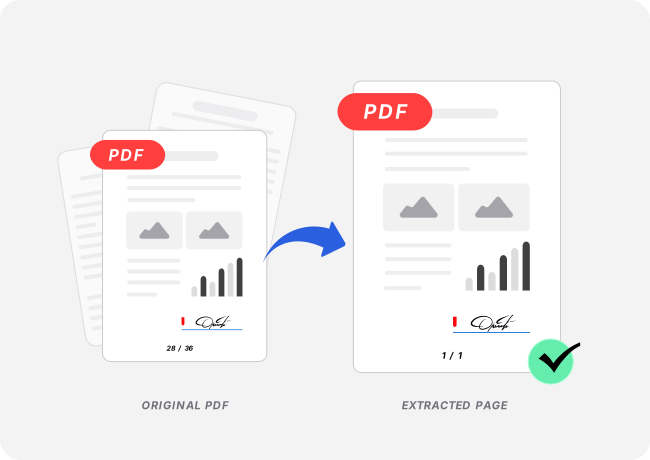
Extract Pages from PDF into Separate Files

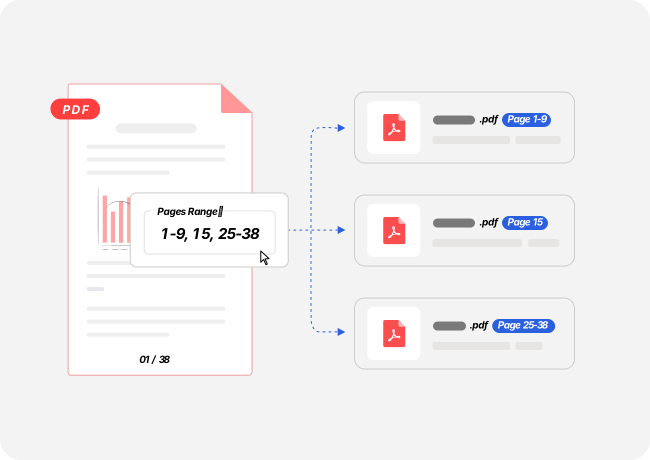
Enter the page numbers or ranges you want, separated by commas, and each selection becomes a separate PDF file. Extract a single page, a continuous range, or multiple selections in one go. Your files are ready to download, share, or archive.
Split PDF by Page Interval

Split PDFs at Regular Intervals

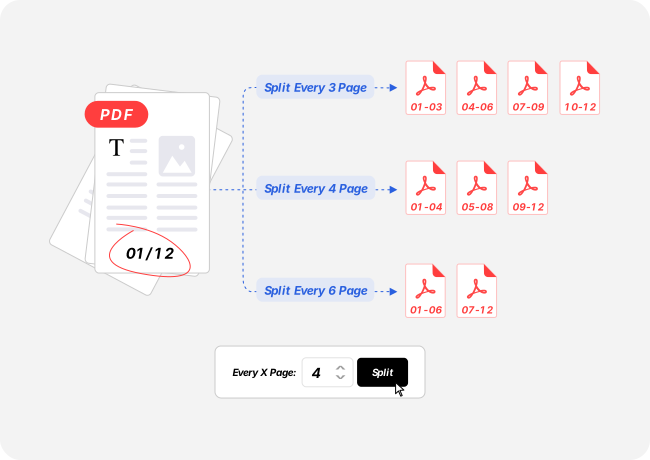
Choose a page interval to divide your PDF into evenly sized groups. Set the interval to 1 to create a separate PDF for every page, or choose a larger number to split the document into regular batches. It's useful for scanned document batches and long reports that need to be divided into manageable files.

Preserve PDF Formatting When Splitting

Keep the Original Page Layout

Splitting extracts the pages you choose into new files instead of rebuilding their content. Text stays selectable, images retain their original resolution, and page layouts remain intact. Results may vary with damaged or unusual files, but standard PDFs retain their original appearance without a separate reformatting step.

Preview PDF Pages Before Splitting

Preview Pages Before Splitting

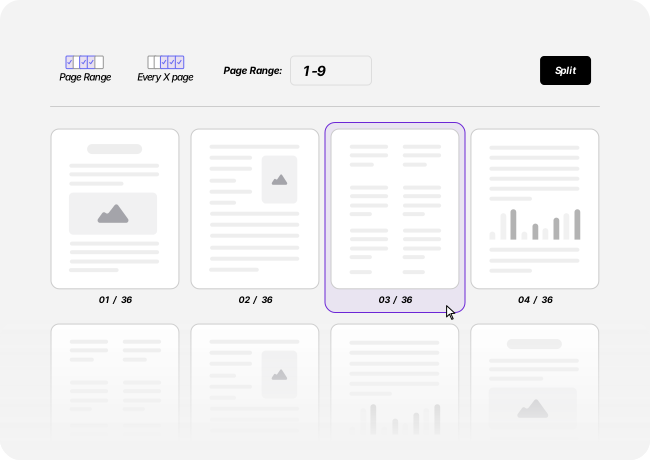
Preview your PDF pages to find the sections you need. Then check your page numbers or ranges before splitting. This helps you catch selection mistakes before downloading the files.

Split PDF by Bookmarks

Let Bookmarks Make the Cuts

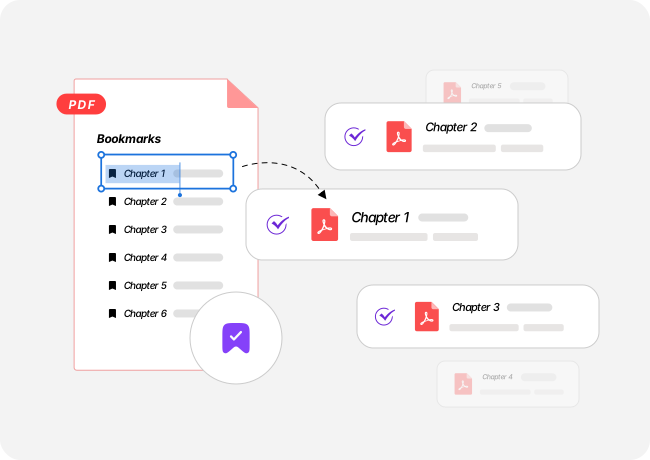
Long PDFs often use bookmarks to organize chapters, monthly statements, and other sections. When a document contains many sections, keeping each split aligned with the existing structure can take careful checking. Bookmark-based splitting uses that structure to separate the PDF automatically, making it easier to create chapter files or monthly reports. When you need automatic bookmark-based splitting, the iBoomto AI desktop app for Windows has you covered.

Built for Easy, Everyday Use

A PDF Splitter for Everyday Tasks

Get the flexibility to split PDFs your way, with clean output files, no unnecessary sign-ups, and privacy built into the process. iBoomto makes everyday PDF splitting simple, free, and secure.

Free PDF Splitting, No Account Required

Split PDFs up to 10 times a day without creating an account or entering payment details. The same daily allowance applies worldwide.

Your Files Stay Private

Your files are automatically deleted after processing, helping keep your documents private. You can split sensitive paperwork without leaving your files stored on the service.

Clean PDFs, No Watermarks

Your split files are ready to share, review, or archive without added watermarks. Use the output directly in your workflow without unwanted marks on your documents.

Online Convenience, Desktop Flexibility

Split PDFs in your browser for everyday tasks, or use the iBoomto AI desktop app on Windows when you need automatic bookmark-based splitting. Choose the workflow that fits your document.

Three Steps, Zero Friction

How to Split PDF Files with iBoomto in Three Steps

From choosing how to split your PDF to downloading the finished files, iBoomto keeps the process straightforward. Start in your browser, and get clean output files in three simple steps.

  1. 1

    Upload Your PDF

    Drag and drop your PDF into the upload area, or select it from your device. You can get started directly in your browser without installing anything.

  2. 2

    Preview and Split

    Preview the pages to identify what you need. Enter page numbers or ranges separated by commas, or choose a page interval to split the PDF into regular batches.

  3. 3

    Download Your Split PDFs

    Download a ZIP containing all your split PDF files. Extract the ZIP to access each PDF separately. Your original PDF remains unchanged.

Made for Your Workflow

PDF Splitting for Every Workflow,
from Long Reports to Single Pages

Split a PDF when someone needs only part of the document or when separate files are easier to organize. These examples show how page selections and intervals fit different tasks.

FAQs

FAQs About iBoomto PDF Splitter Free Online

Everything you may want to know before getting started with iBoomto PDF Splitter.

How do I split a PDF into separate files?

Upload your PDF and preview its pages to identify what you want to extract. Then enter the page numbers or ranges, separated by commas. Each selection becomes a separate PDF file. Download all the split PDFs together in a ZIP file.

Is the iBoomto PDF splitter free to use?

Yes. The online tool is free to use, with no sign-up required and no watermarks on your output. You can split PDFs up to 10 times per day, regardless of your country.

Can I split a PDF every few pages?

Yes. Choose a page interval to split the PDF at regular intervals. Enter any positive number: setting the interval to 1 creates a separate PDF for each page.

How do I separate pages in a PDF without changing the layout?

The tool extracts existing PDF pages rather than rebuilding their content, helping preserve the original layout. For standard PDFs, the extracted pages retain their original appearance. Results may vary with damaged or unusual files.

Can I extract pages from a PDF and keep the rest untouched?

Yes. The original PDF remains unchanged. Enter the page numbers you want to extract, and the selected pages are saved as separate PDF files. All other pages remain in the original file.

Can I split a PDF by bookmarks?

Yes. The iBoomto AI desktop app can read existing PDF bookmarks and split the file along that structure automatically.

With the online tool, you can use the PDF's bookmark panel or table of contents to identify chapter boundaries, then enter the corresponding page ranges manually. You can also split the PDF by page interval online.

When should I use the desktop app?

Use the desktop app when you want to split PDFs automatically by bookmarks or access the wider iBoomto AI toolkit on Windows. The online tool is ideal for quick, browser-based tasks.

Still have questions?Contact Us

Split Your PDF and
Keep the Pages You Need

Extract the pages you want, divide long documents into manageable files, and download your PDFs in just a few clicks.