
How to register an iBoomto AI account?
- Way 1: Sign up with a Google or Microsoft Account.
- Way 2: Sign up with an email.
Creating an account on iBoomto AI is simple. You can sign up through either the Windows desktop app or the official website. Once registered, you can use the same account on both platforms.
To get started, click the circular User icon or the Sign in button in the top-right corner of the software or the website. A sign-in window will appear.
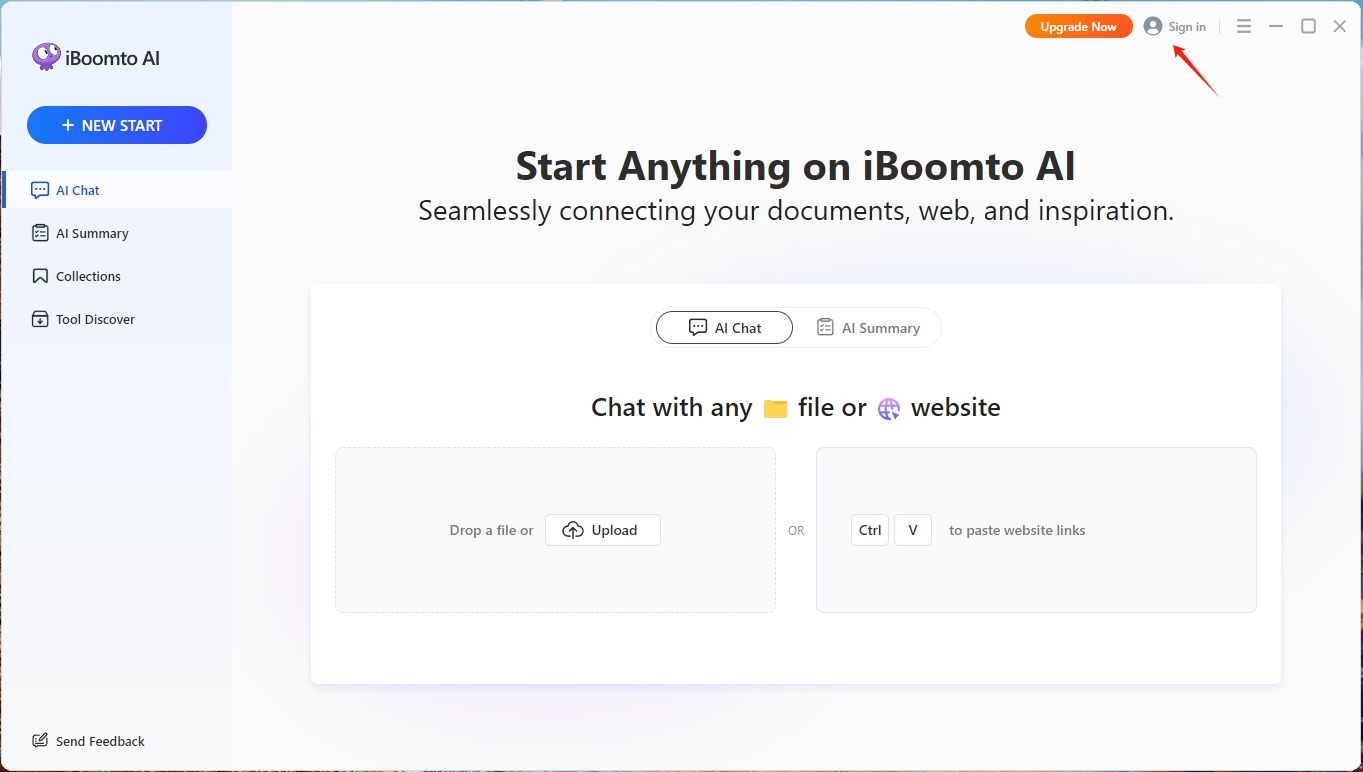
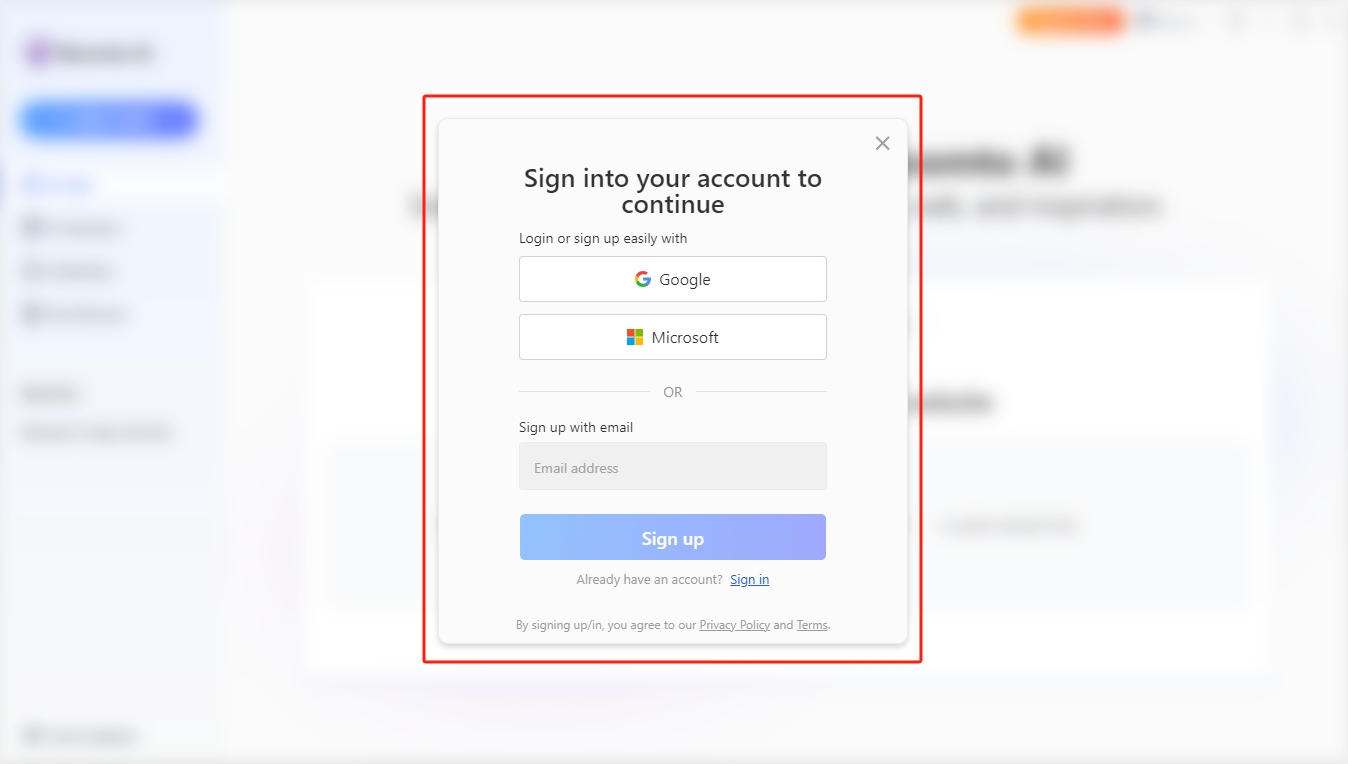
There are two ways to create an account.
Way 1: Sign up with a Google or Microsoft Account.
iBoomto AI allows users to sign up via social accounts directly from Google and Microsoft. Select Google or Microsoft, and it will open the pop-up window. Follow the on-screen instructions to complete the registration process.
Way 2: Sign up with an email.
Enter your email address and click Sign Up. If you already have an account, use the Sign In option instead.
On the registration page, enter your first name, last name, and password, then follow the on-screen instructions to complete the account creation process. For security, create a password of 8–20 characters that includes uppercase and lowercase letters, numbers, and symbols.
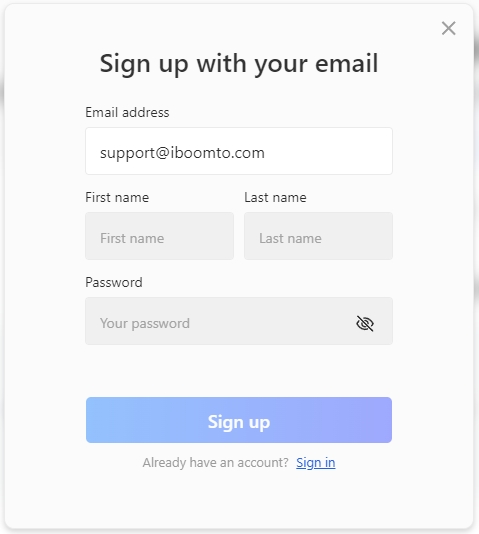
Once your account has been created successfully, you will see a confirmation message such as "Login Successful" and receive a welcome email. You can then return to iBoomto AI and start using the application.
Was this helpful?
Thank you for your feedback!