Login
Login
Upload your Markdown files and get an exquisitely formatted PDF in seconds. One click to convert academic papers, READMEs, reading notes, and technical docs to PDF files without code, CSS, or styling customization.

or drag and drop files here
 Your files are secure during processing and automatically deleted once you close the page.
or drag and drop files here
Your files are secure during processing and automatically deleted once you close the page.
Upload your Markdown file, click convert, and download your PDF. There’s no manual setup and formatting rules to learn. All beginners can turn .md files to PDFs at one click without the knowledge of coding.

Convert Markdown files with headings, lists, tables, images, and code blocks to PDF—free, no signup required.

iBoomto’s MD-to-PDF converter allows uploading up to 5 markdown files at once. Each file can be up to 50 MB - enough for long documents and complex formatting.

Quickly start free markdown-to-pdf conversion on any device without installation. As long as you have internet access, you can use it on Windows, macOS, Linux, iPhone, or Android, at home or on the go.

No need to have an experience of manually adjusting code, CSS, or styling yourself. iBoom supports the common Markdown features you may use and automatically formats them correctly in PDF.

Your privacy matters. Markdown files you upload and the PDFs generated from them are processed temporarily and not stored permanently on iBoomto’s servers. They are cleared when you close the page.
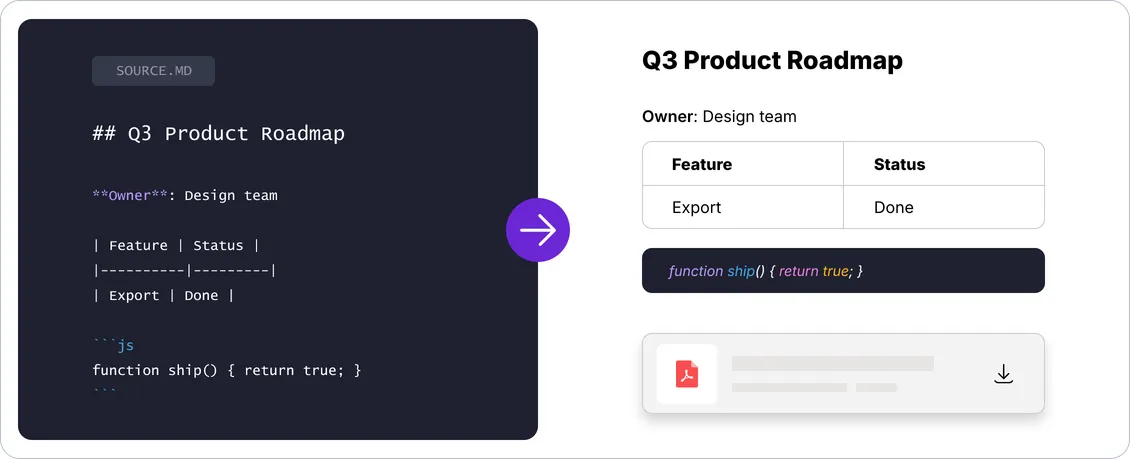
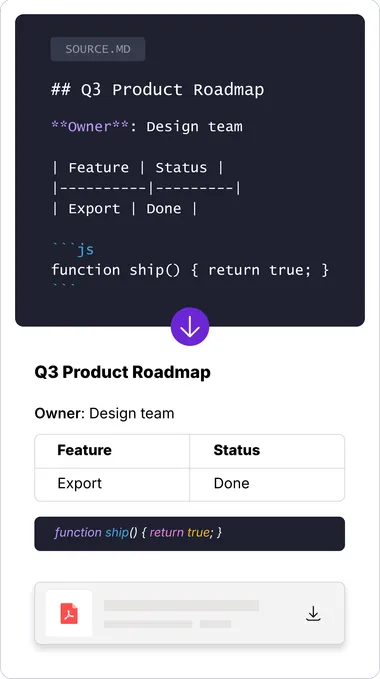
See how a raw Markdown file is rendered to a clean, professionally formatted PDF. Headings, bullet points, tables, images, and code blocks are preserved so your PDF looks like a finished document, not a rough export.
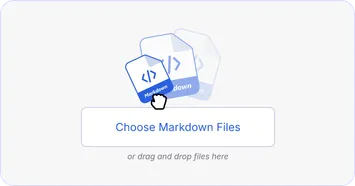
Select your .md file or simply drag and drop it from your device. Each Markdown file can be up to 50 MB.
Click Convert. The free online Markdown to PDF converter reads your Markdown syntax and renders it to a PDF layout.
When your PDF is ready. You can download it for printing or sharing immediately!
Select your .md file or simply drag and drop it from your device. Each Markdown file can be up to 50 MB.
Click Convert. The free online Markdown to PDF converter reads your Markdown syntax and renders it to a PDF layout.
When your PDF is ready. You can download it for printing or sharing immediately!
iBoomto's Markdown to PDF converter preserves all standard Markdown formatting, ensuring your converted Markdown files turn into readable, exquisitely formatted PDFs.

The #, ##, and ### symbols that create your document's title and section structure. These keep your PDFs organized and easy to scan, whether they started as README files, documentation, or long articles.

Rows and columns built with | and - symbols, commonly used in technical documentation, comparison charts, and product spec sheets. iBoomto keeps table structure clear so data stays easy to read in PDF form.

Text wrapped in triple backticks (```), used to display code snippets. These blocks are preserved so developer documentation, READMEs, and tutorials stay understandable.

Created with **bold**, *italic*, and ~~strikethrough~~. Emphasis and change tracking are carried over into the PDF so important points still stand out.

Numbered steps or bullet points, commonly found in how-to guides, checklists, and step-by-step instructions, which remain properly indented and easy to follow in the converted PDF.

Text marked with >, typically used to highlight quotes, notes, or important callouts within an article or documentation page. These are visually separated so important remarks remain distinct from the main body of text.

Clickable references written as [text](URL), common from blog posts to technical docs. Links are kept in the PDF so readers can still open external resources from the document.

Embedded visuals using . These stay in place so tutorials, product docs, and posts keep their screenshots, diagrams, and illustrations.

Divider lines created with ---. They still separate sections in the PDF to improve readability in long documents.

Equations written in LaTeX format, most common in academic papers, research notes, and technical or scientific documentation. iBoomto aims to preserve mathematical notation so formulas remain legible in the PDF.
 Complex or nested formatting can occasionally render differently. If that happens, our support team is available 24/7 - we're happy to help.
This free, online MD-to-PDF converter is built for everyday workflows—whether you're working with AI outputs, resumes, product docs, or research notes.
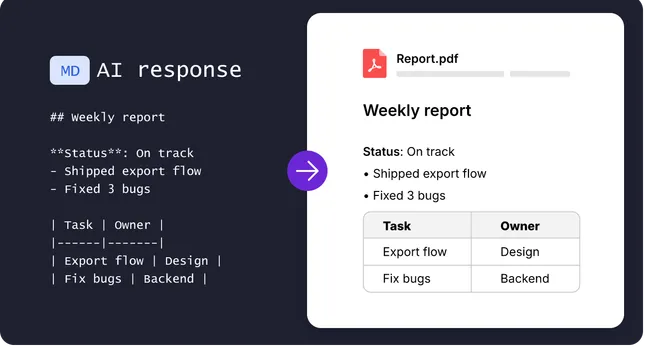
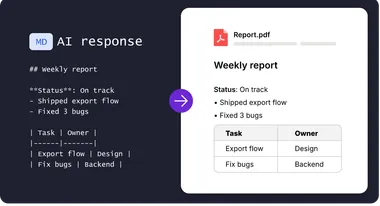
ChatGPT and Claude often export content in Markdown, which can leave you with '#' symbols and '**' markup when you copy or download text. Instead of cleaning it by hand, upload the '.md' file to iBoomto's Markdown to PDF converter. Your AI-generated weekly report, meeting notes, or analysis turns to professional and pointed PDFs.
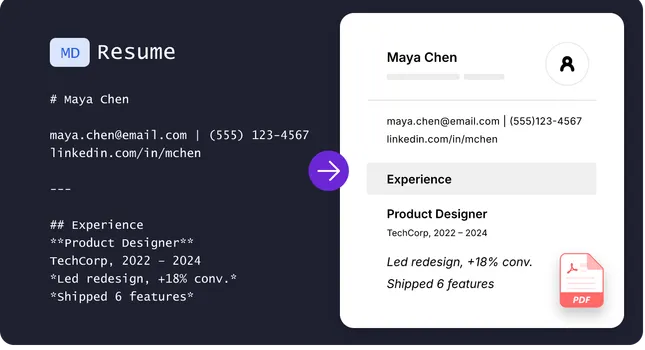
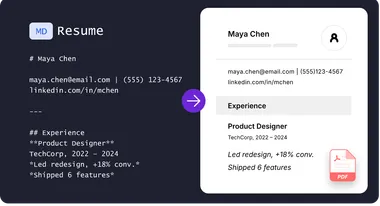
Many large U.S. companies scan resumes with ATS software before a human review. Markdown's structured headings and lists translate cleanly into PDFs, which can help those systems parse your experience more reliably. iBoomto's one-click Markdown converter helps non-technical grads and job seekers turn their Markdown resume into a PDF that puts their experience clearly.
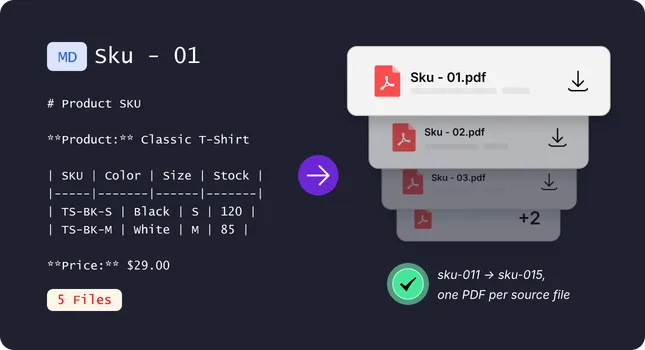
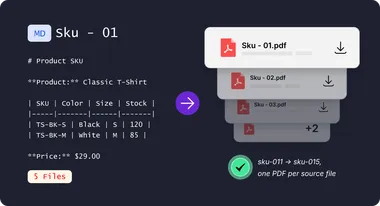
If you are an e-commerce seller who often uses AI to draft product manuals, FAQs, and return policies, turning them into PDFs one at a time doesn't scale across dozens of SKUs. With iBoomto's one-click batch Markdown converter, you can turn all your Markdown files into polished PDFs at once, giving your products a professional look customers can trust.
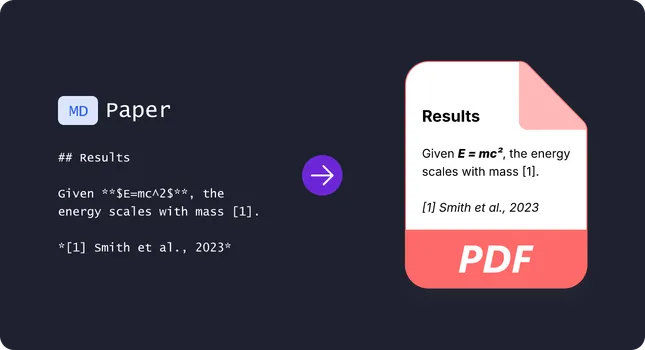
Writing your research notes or paper drafts in Obsidian? Great for fast note-taking — but submissions and advisor reviews need a proper PDF. iBoomto's online converter accurately renders charts, LaTeX formulas, and citations, keeping your academic work exactly as intended.
ChatGPT and Claude often export content in Markdown, which can leave you with '#' symbols and '**' markup when you copy or download text. Instead of cleaning it by hand, upload the '.md' file to iBoomto's Markdown to PDF converter. Your AI-generated weekly report, meeting notes, or analysis turns to professional and pointed PDFs.
Many large U.S. companies scan resumes with ATS software before a human review. Markdown's structured headings and lists translate cleanly into PDFs, which can help those systems parse your experience more reliably. iBoomto's one-click Markdown converter helps non-technical grads and job seekers turn their Markdown resume into a PDF that puts their experience clearly.
If you are an e-commerce seller who often uses AI to draft product manuals, FAQs, and return policies, turning them into PDFs one at a time doesn't scale across dozens of SKUs. With iBoomto's one-click batch Markdown converter, you can turn all your Markdown files into polished PDFs at once, giving your products a professional look customers can trust.
Writing your research notes or paper drafts in Obsidian? Great for fast note-taking — but submissions and advisor reviews need a proper PDF. iBoomto's online converter accurately renders charts, LaTeX formulas, and citations, keeping your academic work exactly as intended.
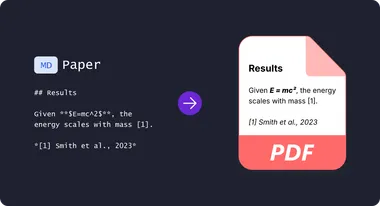
Different workflows suit different users. Here's how iBoomto compares to other methods so you can find the best Markdown-to-PDF tool for you.
| Method | Install Required | Learning Curve | Free or Paid | Custom Styling | Batch Conversion | Best for |
|---|---|---|---|---|---|---|
| Online Converter | No | None, one-click conversion | Free, no signup | AI-assisted styling, no code | Yes, up to 5 files per batch | Anyone who wants a fast, easy online Markdown to PDF converter with no setup |
| Pandoc (command line) | Yes | Steep, requires terminal knowledge | Free | Highly configurable | Yes, via scripts and automation | Developers automating large-scale conversions |
| VS Code Extension | Yes | Moderate, requires VS code setup | Usually free | Adjustable via settings/CSS | Yes, limited by local performance | Developers already working in VS Code |
| Markdown Editor's Built-in Export | Yes (often paid) | Low, varies from apps | Partial, app-dependent | Adjustable in each editor | Partial, app-dependent | Non-technical writers, students, and casual note-takers |
 NEXT STEP · AI-ASSISTED PDF EDITING
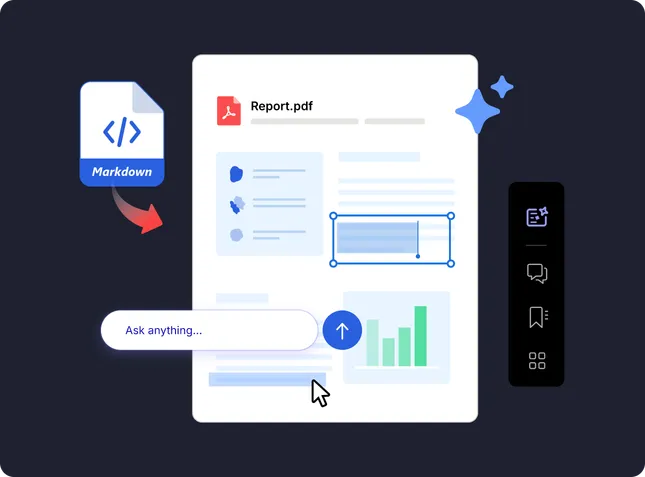
Not satisfied with the PDF styling? Markdown to PDF conversion is not the end. Apply iBoomto AI Agent to fine-tune your PDF - adjust layout, fix formatting, and edit content directly.
Everything you need to know about converting Markdown to PDF free online without sign-up, coding, styling, or formatting rules with iBoomto MD-to-PDF converter.
Still have questions?
Contact UsEverything you need to know about converting Markdown to PDF free online without sign-up, coding, styling, or formatting rules with iBoomto MD-to-PDF converter.
Still have questions?
Contact Us