
Why Can’t I Copy and Paste Text from a PDF?
- The PDF Is a Scanned File
- The PDF Uses Embedded Fonts
- The PDF is Locked by the Owner
"I can’t select text in a PDF and what I get are broken, unreadable lines. Why can’t I copy and paste from a PDF? Are there good workarounds?"
The problem that you can’t copy from PDF can impute to multiple reasons, as follows:
The PDF Is a Scanned File
As a scanned PDF is stored as an image rather than actual characters, you can't select or copy it. When you click on the page, it usually highlights the entire page instead of the area you select.
How to Fix It?
Use an OCR (Optical Character Recognition) tool to recognize the text in the image and convert it into editable, copyable text. Take Windows 11 as an example, and you can use the default Windows Snipping tool to achieve the conversion: Take a screenshot with Snipping, and go to the Text Actions icon on the toolbar. The program will automatically extract copyable text from the PDF screenshot.
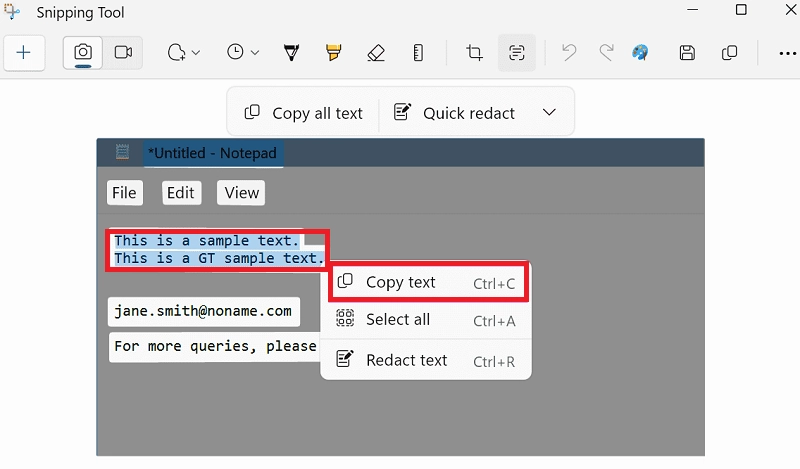
Additionally, third-party document tools like iBoomto AI usually support the OCR feature for users to simply copy and paste from PDFs.

The PDF Uses Embedded Fonts
Sometimes you can copy text from a PDF, but the pasted result is garbled, missing characters, or split into multiple lines. This usually happens because the PDF uses embedded fonts or unusual character encoding that your PDF viewer can't interpret correctly.
How to Fix It?
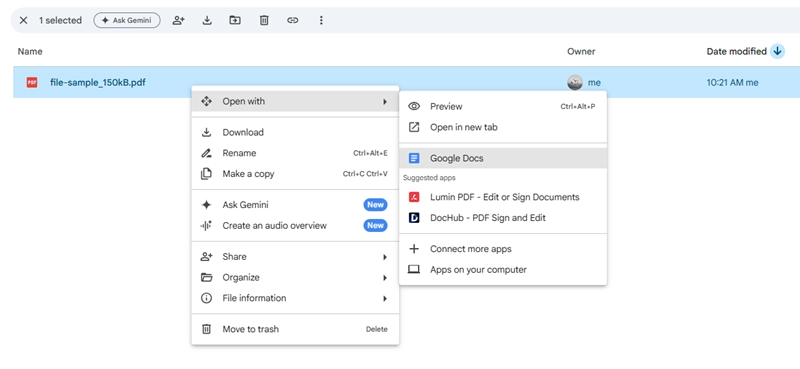
Method 1. Open the PDF with Google Docs
Upload the PDF to Google Drive and open it with Google Docs. Google's conversion engine can reconstruct the text into an editable document with proper character mapping.
Method 2. Rebuild the Font Mapping with Acrobat
If you have Adobe Acrobat Pro, use the Preflight tool to reconstruct the document's text layer and repair font mapping issues.
Step 1. If you have Acrobat Pro, launch it, go to Tools, and select Print Production.
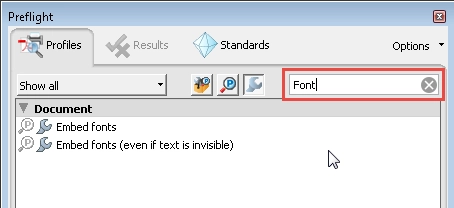
Step 2. Run the Preflight panel, click the wrench icon at the top, and search for Font.
Step 3. Locate and select the Embed missing fonts fixup, then click Analyze and fix.
Step 4. Rename and save the file to rebuild the embedded font streams.
Method 3. Re-print the PDF with the Built-in Print Feature
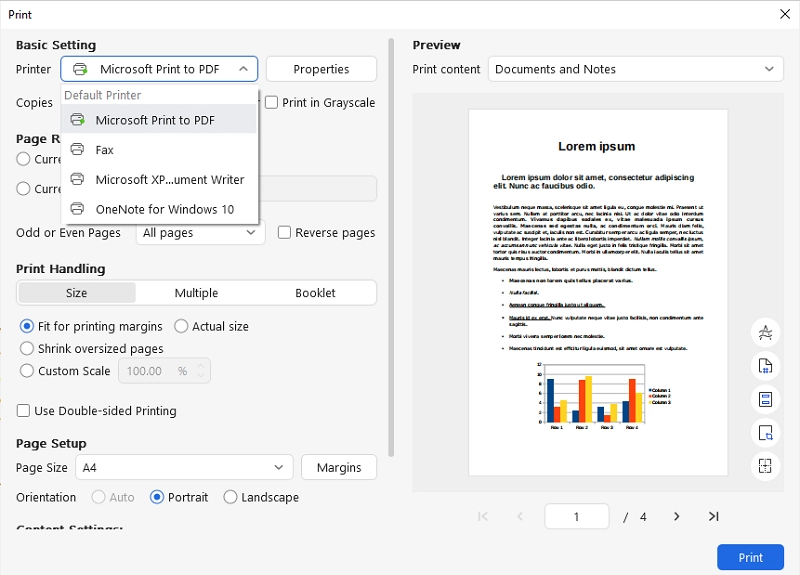
Open the PDF in a PDF reader, then choose Print (Ctrl + P on Windows or Cmd + P on Mac). Select Save as PDF (Mac) or Microsoft Print to PDF (Windows) to create a new PDF.
The PDF is Locked by the Owner
If the PDF owner has restricted copying and pasting, you may not be able to extract its content either. The best solution is to ask the owner for an editable version of the document.
Why can't I copy and paste from a PDF? Hopefully, this page has helped you find the root and achieve successful copy-and-paste.
Was this helpful?
Thank you for your feedback!