
How to Fix Sorry Google Docs is Unable to Open the Document
- 1. Check & Ask for the Permission
- 2. Clean Your Browser or App Caches
- 3. Open the File in Incognito Mode
- 4. Make a Copy and Open the New Copy
- 5. Convert the File into a Common Supported Type
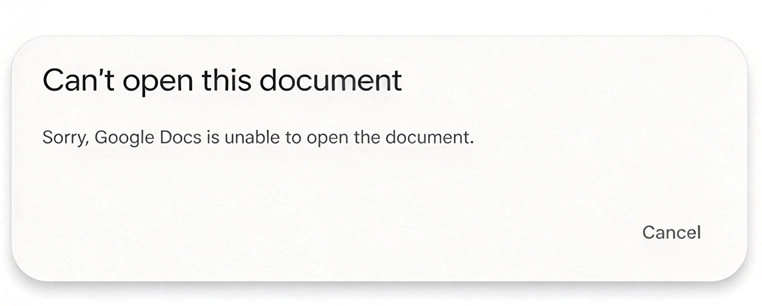
“Sorry, Google Docs is unable to open the document” appears when Google Docs couldn't load the file you tried to open or import. The problem can stem from several causes. You can work through the fixes below until one resolves it.
1. Check & Ask for the Permission
If you don't have permission to open a file, Google Docs usually shows a "You need permission" message. But the message doesn't always appear, so a permission problem can still be behind the error. To check, make sure you're signed in with the correct Google account, or ask the owner to share the file with you.
2. Clean Your Browser or App Caches
If you're using Google Docs in a web browser, clear your cookies and cache, then sign back in to your Google account and reopen the file. Check whether the "Sorry, Google Docs is unable to open the document" error is gone.
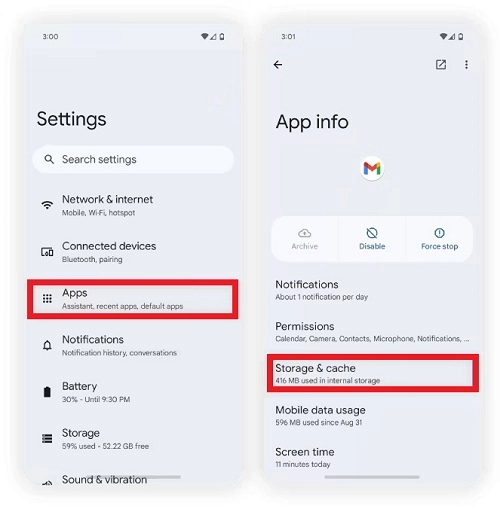
If you see the "Sorry, Google Docs is unable to open the document" error in the mobile app, clear the app's cache as well. Open your phone's Settings, tap Apps (or Apps & notifications > See all apps), and select Docs. Then tap Storage & cache and choose Clear cache.
3. Open the File in Incognito Mode
If a browser extension is conflicting with Google Docs, it may prevent the document from opening. To test this, open the file in an Incognito window, where extensions are usually disabled by default. If it opens normally there, disable your extensions one by one to find the one causing the problem.
4. Make a Copy and Open the New Copy
Go to Google Drive and find the file. Right-click it and select Make a copy, then open the new copy in Google Docs to see if the problem is issued.
5. Convert the File into a Common Supported Type
Google Docs supports most common document formats, but a few file types can't be opened, such as .docm, .pages, .indd, .psd, .ai, .wps, and .wpd. If your file is in one of these formats, convert it to a supported one, such as .docx, and try again.
Also Read: How to Convert Markdown to PDF >>
The “Sorry, Google Docs is unable to open the document” error usually results from permissions issues, a stale cache, a conflicting extension, or an unsupported format. Start with the quick checks above. If nothing works, the file may be corrupted, or the issue could be caused by Google Docs itself. Try opening the file again later, or switch to a different document tool.
Was this helpful?
Thank you for your feedback!