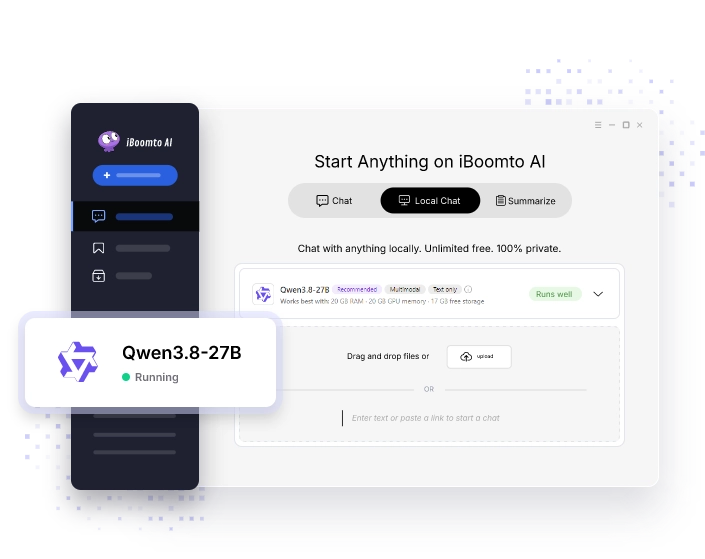
Download and install iBoomto onto your Windows 10/11 device successfully.
Qwen3.8-27B
Qwen3.8 27B is a 27B vision-language model that can run locally on a Windows PC with 18 GB+ of VRAM/RAM. See the hardware requirements and how to set it up in iBoomto.
- 27 billion parameters
- Text and image input
- An approximately 18 GB GGUF download, with additional memory needed at runtime
Qwen3.8 27B (18GB) Overview
Qwen3.8 27B is a vision-language model for working with text and images. The 18 GB version refers to the model download, not the total memory your PC needs to run it.
| Category | Specs & Details |
|---|---|
| Parameters | 27 Billion (dense model) |
| Architecture | Hybrid attention with a multimodal vision encoder, balancing long-context support and speed |
| File Format | GGUF |
| Download size | ~18 GB (Q4_K_M) |
| License | Apache 2.0 permits commercial use, local deployment, modification, and distillation, subject to the license terms |
| Multimodal input | Text, native image, and video understanding |
| Context window | 262,144 tokens natively; can be extended to about 1M tokens with YaRN/RoPE scaling |
* Data sourced from Hugging Face and Qwen official.
Can I Run Qwen3.8 27B on Windows?
Check your PC’s specs against the requirements below to see if it can run Qwen3.8 27B.
Entry
Recommended
High-throughput
Setup
Split between GPU and system RAM (most layers on GPU, the rest in RAM)
Fully loaded on one GPU (weights and KV cache in VRAM, fastest)
Large VRAM or multiple GPUs (long context, concurrent tasks)
GPU
8–12 GB VRAM, e.g., RTX 3060 / 4060 / 5060, RTX 3070 / 4070
24 GB VRAM, e.g., RTX 3090 / 4090
24 GB+ VRAM or multi-GPU, e.g., dual RTX 3090 / 4090, RTX 6000 Ada
RAM
32 GB (fast DDR5 or high-speed DDR4)
32–64 GB (DDR5-5600+)
64–128 GB
CPU
6 cores / 12 threads or more
8 cores / 16 threads or more
16 cores or more
Free SSD space
100 GB+ (NVMe)
200 GB+ (PCIe 4.0 NVMe)
500 GB+ (PCIe 4.0/5.0 NVMe)
Power & cooling
600 W+ PSU
750 W+ PSU
1000 W+ PSU
OS
Windows 10 / 11
Windows 10 / 11
Windows 10 / 11
Tip 1:Not sure about your specs? Open Task Manager > Performance to check.
Tip 2:Windows WDDM (Windows Display Driver Model) allocation may cause lag if VRAM is 100% full. Leave ~1.5 GB VRAM free for system overhead.
Tip 3:Don't want to check manually?Run Instant Hardware Detector → Automatically scans your GPU, VRAM & RAM in 5 seconds.
What Can You Use Qwen3.8 27B for Locally?
Qwen3.8 27B delivers strong reasoning, long-context handling, and native multimodal understanding on consumer hardware.
Work with Long Documents
Qwen3.8 27B supports a native context of 262,144 tokens (256K) and can be extended to 1M tokens with RoPE/YaRN scaling.
Analyze Text and Images Together
Natively understands images and video. It can read scanned documents, complex STEM charts, screenshots (OCR), and ID layouts, as well as videos up to several hours long.
Flexible Reasoning Depth Control
You can set “reasoning_effort” to match the task manually:
- Xhigh (default) for in-depth analysis of complex tasks
- Medium for balancing accuracy and speed
- Low for fast, lightweight reasoning
Continue a Task Across Follow-Up Questions
Qwen3.8 27B model keeps the complete thinking trace from earlier turns in a multi-turn conversation, so multi-step workflows stay logically consistent.
Skilled in Cross-Language Documentation
It has strong multilingual ability for parsing documents across languages, localizing content, and technical writing, including translation, summarization, and multilingual content generation.
How Do I Run Qwen3.8 27B in iBoomto: Setup & Hardware Requirements
Before downloading, check that your iBoomto version supports the selected model package and your PC has enough memory and storage. Installing iBoomto and running an 18 GB model have different requirements.
| Item | Requirement / Specification |
|---|---|
| VRAM | Minimum / Split (RAM Hybrid Offload): RTX 4060 (8GB) / RX 6600 Recommended (full GPU load): RTX 3090 / 4090 (24GB VRAM) |
| RAM | 32–64 GB of system RAM if you run the model split across GPU and RAM, or on CPU only. |
| OS | Windows 10/11 |
| Model Version | Qwen3.8-27b Vision-Language Dense Model (18GB INT4 / GGUF) |
| Input | Text, Image |
| Output | Text (structured code, Markdown, reasoning trace, mind mapping, etc.) |
| Languages | English, Arabic, Chinese, French, German, Italian, Japanese, Korean, Portuguese (PT-BR), Spanish |
* Data sourced from Hugging Face, Qwen Official and iBoomto Laboratory's real measure data.
Real Tested Data: Processing Documents with Qwen3.8 27B
A step-by-step example of Qwen3.8 27B processing real document tasks in iBoomto. The following workflow uses a PDF containing text, tables, pictures, and diagrams. The task is to extract the tables and prepare an Excel output.
Example Input and Prompt
| Configuration Item | Details |
|---|---|
| Input file | A PDF file (named South Asia Economic Update, October 2026: Adopting AI for Growth) of long text, tables, pictures, and diagrams (~2.23MB) |
| Prompt | You are a professional document data extraction assistant. Please extract the tables in this file and export them into an Excel format. |
| Example PC | Windows 11, NVIDIA GeForce RTX 4090, i7 14th gen (64GB RAM, 24GB VRAM fully loaded) |
Step-by-Step Workflow
Model Performance & Capability Benchmark
The table below records the actual metrics observed during testing.
TEST ENVIRONMENT
iBoomto AI VersionV1.1Software build version used for benchmarking
Test DateOct 15, 2026Date when benchmark data was recorded
Long Context Tokens119,000 tokensTotal input token volume processed in a single prompt
PROCESSING PERFORMANCE
Document Processing Time4 min 35 sTotal time taken to parse, OCR, and extract the full document
Time to First Token (TTFT)11s (at 119,000 Long Context)Latency before generating the first output token
Prompt Processing Throughput~10,818 Tokens/sSpeed of reading and encoding input prompt tokens (Prefill)
Generation Time4sTime spent generating the final output response (Decode)
SYSTEM RESOURCES
CPU/GPU UtilizationCPU: ~25% | GPU: 95%–100% (Peak)CPU utilization and peak GPU utilization observed during the test
Peak VRAM Usage21.9 GB(91.2% of 24 GB VRAM) Peak dedicated GPU memory consumed during inference
Peak RAM Usage23.1 GB(36.2% of 64 GB System RAM) Peak system memory consumed during operation
BENCHMARK RESULTS
Factual AccuracyAccuratePrecision and correctness of extracted information
CompletenessIncomplete (missed 1 long table)Coverage and thoroughness of output data against source file
When to Consider Other Local Models
Choose another model or deployment option when the download, memory use, supported inputs, or processing time do not fit your needs.
Situation
Suggestion
Your PC doesn’t meet the hardware requirements.
Try a smaller model in the same series, or a lower-bit quantization. See the Model Hub.
You need an input type iBoomto doesn’t support yet (e.g., video).
Choose a model that already supports that input in iBoomto.
You prefer a smaller download.
This model is already a Q4 quantization, so try a smaller model instead. See the Model Hub. Expect a trade-off in output quality.
You run many tasks at once or process files in batches, and the local model lags.
Consider a cloud API for high-concurrency or batch workloads.
Data Sources & References
Specs, requirements, and measurements on this page come from the sources below.

Qwen Official
Primary source for model specs, architecture, context window, and supported inputs. Check the data.


iBoomto Laboratory
Real measured data from iBoomto AI V1.1 tested on RTX 4090 (24GB VRAM). Check the data.

Qwen Official
Primary source for model specs, architecture, context window, and supported inputs. Check the data.
iBoomto Laboratory
Real measured data from iBoomto AI V1.1 tested on RTX 4090 (24GB VRAM). Check the data.
FAQs
What to Know About
Running Qwen3.8 27B with iBoomto
Everything you need to know about running Qwen3.8 27B locally with iBoomto: hardware requirements, VRAM offloading, quantization, batch processing, data privacy, and cloud options.
Still have questions?
Contact Us1. Can I run Qwen3.8 27B on my computer?
Yes, but it depends on your hardware specifications. A GPU with 24 GB of VRAM may support full GPU inference with the selected quantized model, depending on the context length, vision components, and available VRAM. Smaller GPUs may require CPU/RAM offloading, which can reduce speed. Click here to know if your PC can run it.
2. What if my GPU doesn’t have enough VRAM?
Don’t worry. iBoomto and its underlying engine (llama.cpp) support VRAM + RAM hybrid offloading. Most layers stay in VRAM, and the rest run from RAM. This enables the model to run on smaller GPUs. However, even when iBoomto enables “--spec-type draft-mtp” via the command line to speed things up (which can boost generation speed by 30%–40%), speed still drops as more layers are offloaded to RAM. In this situation, you can also choose a smaller model or a lower-bit version. See the model Hub.
3. Why does an 18 GB model need more than 18 GB of memory to run?
The 18 GB download contains the model weights. Running it also requires memory for the context cache, working buffers, and vision components. The amount needed depends on your settings and how the model is split between GPU and system RAM.
4. Which quantization is the 18 GB version, and how much quality does it lose?
The 18 GB version typically uses Q4_K_M (4-bit medium) or INT4 quantization. Benchmarks show that performance degradation is virtually unnoticeable for everyday tasks like document extraction, coding, and reasoning, while reducing the model footprint by nearly 70% compared to uncompressed FP16.
5. Can I process multiple documents at once with Qwen3.8 27B in iBoomto?
Yes, iBoomto supports processing multiple scanned PDFs, contracts, or screenshots sequentially. But total processing time grows with the number and complexity of the files, and it also depends on your hardware. For larger batches, you can consider a cloud API in iBoomto and compare the results and processing time.
6. Is my data uploaded anywhere?
In a fully local workflow, Qwen3.8 27B processes files and prompts on your PC. Your data will not be sent to external servers. Check that document processing and any other enabled features also run locally before handling sensitive files. If you switch to a cloud API, the content sent for processing goes to that provider.
7. Which lightweight models does iBoomto support?
Check the model hub for the current list of supported models.
8. Does iBoomto support cloud APIs?
Yes. iBoomto supports cloud APIs as an alternative to local inference. It supports standard cloud APIs of 30+ models, letting you switch between local privacy and fast calculation power whenever needed.
9. Where can I download Qwen3.8 27B safely for local use and can it work offline?
The easiest way is to download it in iBoomto. If your device meets the requirements, you can get Qwen3.8 27B with one click. After the download, the model runs on your own PC. Your files and prompts are processed locally and offline.
10. What does the 18 GB GGUF version mean?
GGUF is the model file format, and 18 GB is the approximate download size. It does not describe the total runtime memory requirement. See the memory explanation above when planning your RAM and VRAM needs.
FAQs
What to Know About
Running Qwen3.8 27B with iBoomto
Everything you need to know about running Qwen3.8 27B locally with iBoomto: hardware requirements, VRAM offloading, quantization, batch processing, data privacy, and cloud options.
1. Can I run Qwen3.8 27B on my computer?
Yes, but it depends on your hardware specifications. A GPU with 24 GB of VRAM may support full GPU inference with the selected quantized model, depending on the context length, vision components, and available VRAM. Smaller GPUs may require CPU/RAM offloading, which can reduce speed. Click here to know if your PC can run it.
2. What if my GPU doesn’t have enough VRAM?
Don’t worry. iBoomto and its underlying engine (llama.cpp) support VRAM + RAM hybrid offloading. Most layers stay in VRAM, and the rest run from RAM. This enables the model to run on smaller GPUs. However, even when iBoomto enables “--spec-type draft-mtp” via the command line to speed things up (which can boost generation speed by 30%–40%), speed still drops as more layers are offloaded to RAM. In this situation, you can also choose a smaller model or a lower-bit version. See the model Hub.
3. Why does an 18 GB model need more than 18 GB of memory to run?
The 18 GB download contains the model weights. Running it also requires memory for the context cache, working buffers, and vision components. The amount needed depends on your settings and how the model is split between GPU and system RAM.
4. Which quantization is the 18 GB version, and how much quality does it lose?
The 18 GB version typically uses Q4_K_M (4-bit medium) or INT4 quantization. Benchmarks show that performance degradation is virtually unnoticeable for everyday tasks like document extraction, coding, and reasoning, while reducing the model footprint by nearly 70% compared to uncompressed FP16.
5. Can I process multiple documents at once with Qwen3.8 27B in iBoomto?
Yes, iBoomto supports processing multiple scanned PDFs, contracts, or screenshots sequentially. But total processing time grows with the number and complexity of the files, and it also depends on your hardware. For larger batches, you can consider a cloud API in iBoomto and compare the results and processing time.
6. Is my data uploaded anywhere?
In a fully local workflow, Qwen3.8 27B processes files and prompts on your PC. Your data will not be sent to external servers. Check that document processing and any other enabled features also run locally before handling sensitive files. If you switch to a cloud API, the content sent for processing goes to that provider.
7. Which lightweight models does iBoomto support?
Check the model hub for the current list of supported models.
8. Does iBoomto support cloud APIs?
Yes. iBoomto supports cloud APIs as an alternative to local inference. It supports standard cloud APIs of 30+ models, letting you switch between local privacy and fast calculation power whenever needed.
9. Where can I download Qwen3.8 27B safely for local use and can it work offline?
The easiest way is to download it in iBoomto. If your device meets the requirements, you can get Qwen3.8 27B with one click. After the download, the model runs on your own PC. Your files and prompts are processed locally and offline.
10. What does the 18 GB GGUF version mean?
GGUF is the model file format, and 18 GB is the approximate download size. It does not describe the total runtime memory requirement. See the memory explanation above when planning your RAM and VRAM needs.
Still have questions?
Contact Us