Build an AI Knowledge
Base
on Your PC

Give your AI agent a library of your own documents. Ask questions about your files, get summaries, and work through your study materials together without having to repeat the context each time.

Get iBoomto for Free
iBoomto AI Knowledge Base on Your PC
Subscribe Now
Your Documents, One Place

Turn Your Documents into a Searchable AI Knowledge Base

Important information is often scattered across PDFs, reports, notes, and other files. Finding one detail can mean opening documents one by one and searching through pages of content. iBoomto brings your documents together in an AI-powered knowledge base, making your information easier to organize, search, and revisit.

Documents Gathered into One Knowledge Base

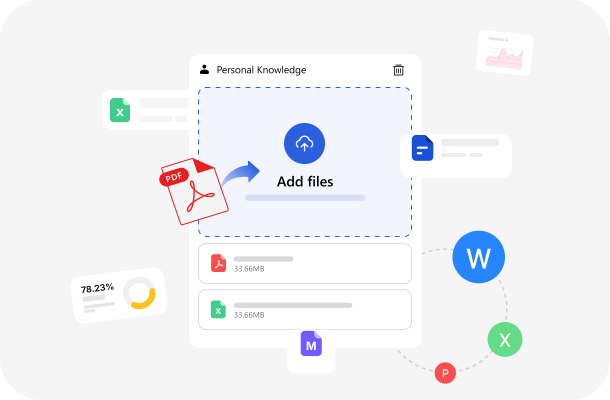
Bring Your Documents Together

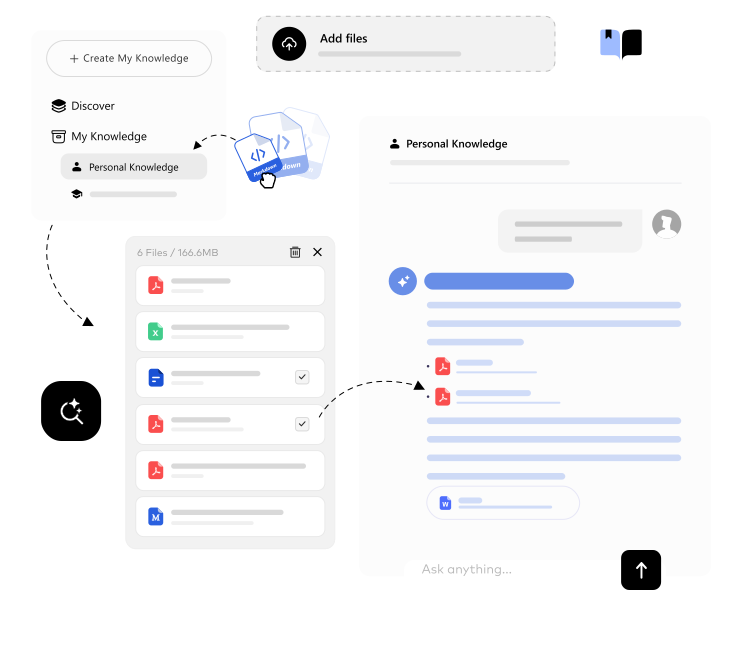
Every document you work with in iBoomto can become a searchable knowledge base. Related files are brought together in one place, so you can work and study more efficiently and consistently.

Get iBoomto for FreeSubscribe Now
Separate Knowledge Bases by Topic

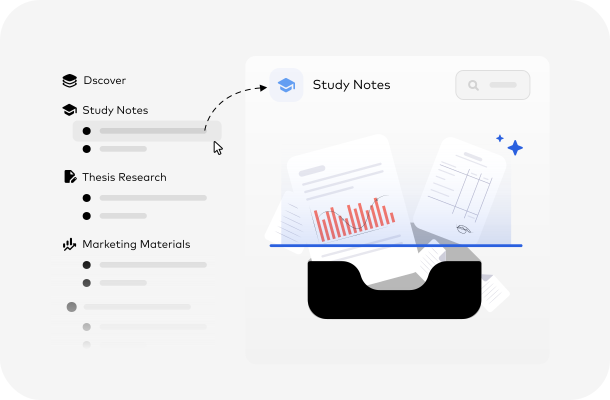
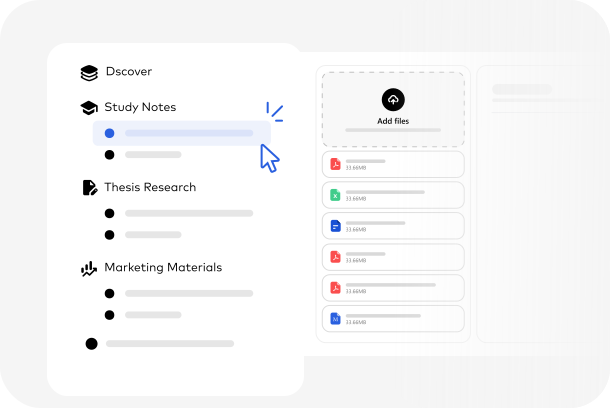
Find What You Need by Topic

Keep related documents together so you can find information in the right context. Create a knowledge base around a research topic, a work project, or a collection of personal documents. Instead of treating every file as a separate source, explore everything you already have as one organized whole.

Get iBoomto for Free
Semantic Search Across Multiple Documents

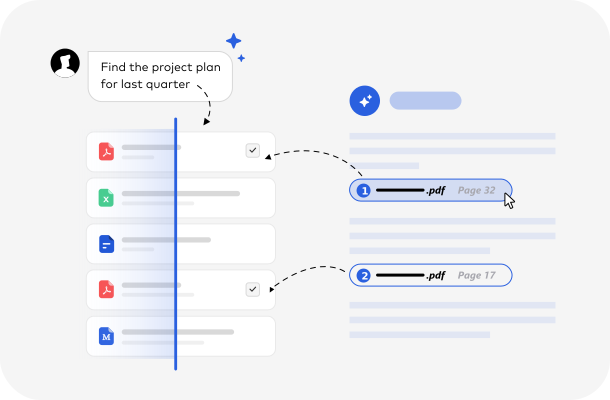
Find Information Beyond File Names

Once iBoomto AI indexes your documents, you can search by meaning. Describe the idea you remember, and iBoomto’s AI knowledge base helps you find relevant information by meaning, not just exact words or file names.

Get iBoomto for FreeSubscribe Now
Ask, Explore, Understand

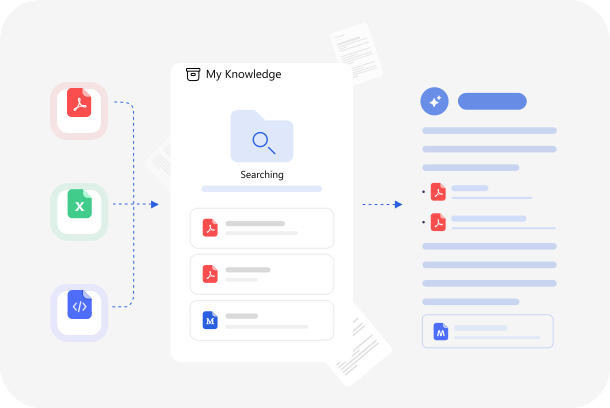
Work and Study with Your AI Knowledge Base

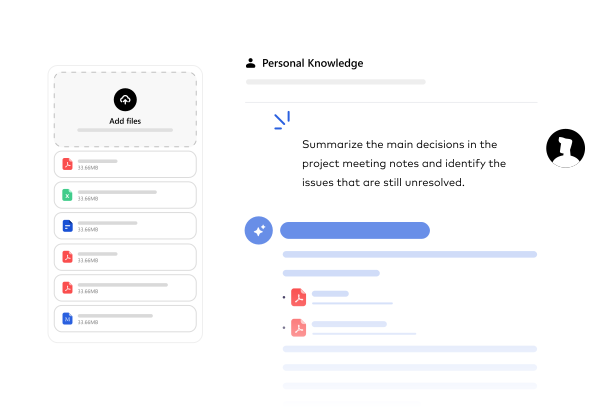
Ask questions and get answers from your knowledge base, whether you’re checking a detail in a project report or working through a concept in your study notes.

Get iBoomto for Free
Ask Questions About Your Documents
Subscribe Now
Get Started in Minutes

Build Your AI Knowledge Base in Three Steps

Bring your documents into iBoomto, organize them into a knowledge base, and start asking questions. The process is designed to make your existing files easier to use with AI.

Step 1
Choose Documents to Add

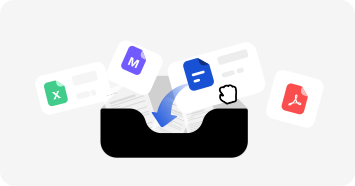
Choose Your Documents

Choose the documents you want to work with iBoomto. Bring together research papers, reports, notes, and other supported files. Start with the documents you use most often and expand your collection as needed.

Step 2
Create a Knowledge Base

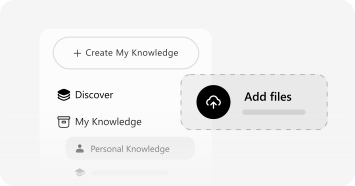
Create a Knowledge Base

Add the files to a new knowledge base in iBoomto. The app prepares and indexes them so it can retrieve relevant passages when you ask a question.

Step 3
Chat with a Selected Knowledge Base

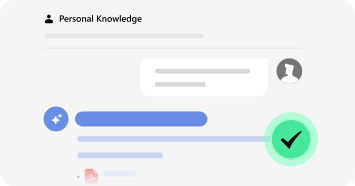
Start Working in Your Knowledge Base

Choose the knowledge base you want to explore and start a conversation. Ask questions, look for specific information, and use AI to make sense of the documents you've collected.

Get iBoomto for FreeSubscribe Now

Understand the Technology

How RAG Works Inside the Knowledge Base

When you ask a question, iBoomto finds relevant passages in your knowledge base and gives them to the AI model to use in its answer. This is called retrieval-augmented generation, or RAG.

Get iBoomto for FreeSubscribe Now

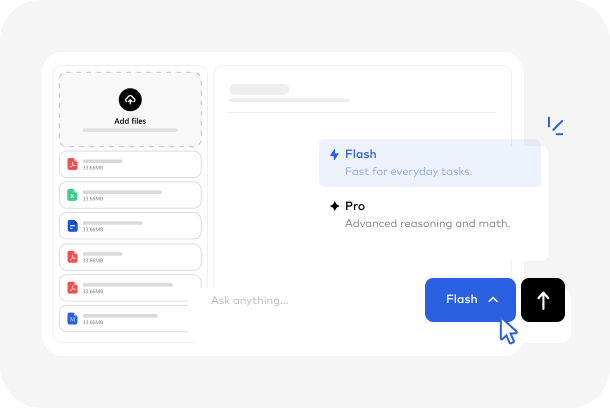
Flexible AI Model Options

Choose Local or Cloud AI Model for Your Knowledge Base

iBoomto gives you the flexibility to run a local or cloud AI model for your knowledge base. The right choice depends on where you want AI to run, which models your PC can handle, and the capabilities your tasks require.

Local AI ModelsCloud AI Models
Where the Model RunsOn your PCOn the model provider’s servers, such as OpenAI or Google.
Document PrivacyAI processing stays on your device.Relevant passages from your documents may be sent to the provider to generate an answer.
Hardware RequirementsCheck the model’s requirements for RAM, processor, graphics hardware if needed, and storage. These are separate from iBoomto’s installation requirements.Do not rely on your PC's processing resources.
Model CapabilitiesDepends on the selected local model and your PC's hardware.Depends on the selected cloud model. Different models vary in their capabilities.
Complex Task HandlingDepends on the model's reasoning and context capabilitiesLarger or more capable models may handle complex analysis better
Internet AccessCan work offline after setup when the entire workflow runs on your PC.Requires an internet connection
Best Suited ForOn-device processing and privacy-sensitive workflowsUsing more capable AI models without demanding local hardware
Get iBoomto for FreeSubscribe Now

From Setup To Answers

How to Work with Your AI Knowledge Base in iBoomto AI

Once your documents are organized into a knowledge base, you can use iBoomto AI to explore, understand, and work with your contents. Follow these steps to get started.

Get iBoomto for Free
Select a Knowledge Base
Subscribe Now

Built Around Your Needs

What You Get with iBoomto’s AI Knowledge Base

Your knowledge base should work around your needs, not force you into a fixed workflow. iBoomto brings together free access, local control, and flexible AI model choices to help you make more use of your documents.

Build Your First Knowledge Base for Free illustration

Build Your First Knowledge Base for Free

If you're looking for a free knowledge base software, you can start with iBoomto's Free plan. It has generous daily free uses and enough space for your first documents.

Keep Your Documents on Your PC illustration

Keep Your Documents on Your PC

iBoomto stores your knowledge bases on your computer. Model choice determines where AI processing happens. Use a local setup when you want to keep that processing on your PC.

Give Each Project Its Own Knowledge Base illustration

Give Each Project Its Own Knowledge Base

Build each knowledge base from the documents you choose, and organize them by project on your own computer. You decide what goes in, what comes out and how it is used.

Add Files in the Formats You Already Use illustration

Add Files in the Formats You Already Use

PDFs, Word files, spreadsheets, Markdown, HTML, even web page links: build one library from what you already have. No converting or reformatting first.

Check Answers Against the Original Documents illustration

Check Answers Against the Original Documents

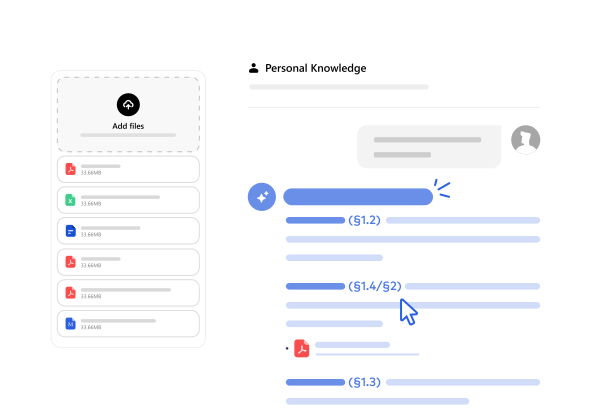
Every answer points back to the document and page it came from, so you can check it in seconds instead of taking it on trust.

Put Your Documents To Work

Use Your AI Knowledge Base for Study, Research, and Teamwork

The more information you collect, the harder it becomes to remember where everything is. An AI knowledge base helps you turn that growing collection into something you can actively use.

Make Sense of Your Study Notes

Make Sense of Your Study Notes

Class notes, reading materials, and study references can quickly become scattered across folders and files. Bring them together in one organized knowledge base. Revisit key concepts, find specific explanations, and explore connections between your materials without searching through every document.

Get iBoomto for Free
Subscribe Now

Start With A Template

Explore iBoomto's Ready-to-Use Knowledge Base Templates

iBoomto also offers ready-made knowledge base templates on a range of topics, so you can choose a subject and start asking questions right away. Browse the template marketplace, choose a subject that interests you, and start exploring its knowledge with AI.

Get iBoomto for FreeSubscribe Now
AI Personal Knowledge Base Template

AI Personal Knowledge Base Builder & Booster Library

Covers building a personal AI knowledge base and boosting an online library with AI tools: open-source RAG, vector databases, self-hosted tools, metadata standards and CC-licensed AI-literacy resources.

Economic Policy and Analysis Template

Economic Policy & Analysis

Covers fiscal and monetary policy, public finance, taxation, cost-benefit analysis, policy evaluation, engineering economics, and game theory. Suitable for economics students, policy analysts, researchers, and decision-makers.

Python Beginner Self-Study Template

Python Beginner Self-Study Knowledge Base

Covering core syntax, data structures, functions, exceptions, standard libraries and practical exercises, this beginner-friendly library pairs official Python docs with open hands-on lessons—ideal for first-time coders.

English Writing Skills Template

English Writing Skills & Practice Library

From grammar rules to polished essays, this collection brings together writing guides, model texts, and revision drills—ideal for ESL learners, students, and professionals sharpening written English.

Habit Formation Template

Habit Formation & Energy Management Guide

Bringing together energy management, sleep, exercise, habit formation, and procrastination research, this library supports learners building focus, discipline, and sustainable routines.

SEO Fundamentals Template

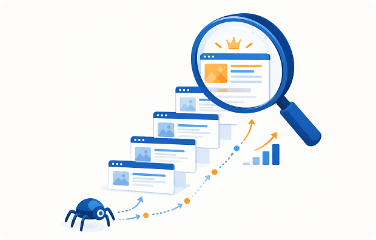
SEO Fundamentals: Crawling, Indexing, Ranking

Explaining how search engines crawl, index, and rank pages, this library covers ranking factors, search intent, and SERP features—essential for marketers and website owners building organic traffic.

FAQs

FAQs About Building a Knowledge Base on Your PC

Everything you may want to know before getting started with iBoomto’s AI knowledge base.

Still have questions?

Contact Us
What Is an AI Knowledge Base?+-
An AI knowledge base is a collection of documents and information that you can explore using AI. Instead of searching through files manually, you can ask questions in natural language and retrieve relevant information from your document collection. With iBoomto, you can build an AI knowledge base from your own files and use it on your computer.
Is an AI Knowledge Base the Same as a Chatbot?+-
Not exactly. A chatbot is designed for conversations. An AI knowledge base gives the AI a collection of specific documents to reference when answering questions. Instead of asking only general questions, you can ask about the information contained in your own files.
Will My Documents Be Uploaded to a Server?+-
It depends on the AI model you choose.
When you use a local model, document processing can stay on your computer. When you use a cloud model, relevant content may need to be sent to the cloud model provider to generate responses. Choose the model that best fits your privacy requirements and review the relevant service settings.
Can I Use My Knowledge Base Offline?+-
Local AI models can make offline use possible, but some operations may still require an internet connection. For example, downloading a model or completing initial setup may require internet access. Once everything is set up, you can work offline with your knowledge base using the local AI model.
Do I Need a Powerful Computer to Run an AI Knowledge Base?+-
It depends on whether you use a local or cloud model. For local AI, your PC needs to meet the selected model's requirements as well as iBoomto's installation requirements. You can use the iBoomto LLM VRAM Calculator to check whether your hardware can run a local model and estimate its memory requirements. Cloud models run inference on remote hardware and can reduce the demands on your PC.
What File Types Can I Add to My Knowledge Base?+-
iBoomto AI supports importing files in common formats, such as PDF, Word, Excel, PowerPoint, CSV, Markdown, HTML, mind maps, and TXT files. You can also add text or links directly to the knowledge base.
Scanned PDFs are also supported. iBoomto AI uses local OCR to extract text from image-based PDF pages before processing them.
How Many Documents Can One Knowledge Base Hold?+-
The Free plan supports up to 10 files in a knowledge base. Pro users can add more, up to the system limit of 20 files per knowledge base. The limit applies to the entire file list in a knowledge base, not just the files added in one upload. If you add a folder, iBoomto AI includes files from its first level only.
How Is iBoomto Different from an Online Knowledge Base Tool?+-
iBoomto is a desktop AI knowledge base designed to work with documents on your own computer.
Rather than relying only on an online service, you can use local AI models to process your documents on your device. You can also choose cloud models when that better suits your needs. This gives you another way to build and explore a personal knowledge base, with more flexibility over where AI processing happens.
How Does RAG Work?+-
RAG (Retrieval-Augmented Generation) allows AI to answer questions using information from your own documents. The process typically involves three steps:
1. Prepare and Index Your Documents
First, the system extracts text from your documents. The extracted content is then split into smaller sections, or chunks, so the system can retrieve specific information instead of processing entire documents at once.
An embedding model converts each chunk into a numerical vector that represents its semantic meaning. These vectors, along with the original text and relevant metadata, are stored in an index or database for efficient retrieval. The system can also build a keyword index to support exact-term searches.
2. Retrieve Relevant Information
When you ask a question, the system searches your knowledge base for relevant content. Vector search finds passages with similar meanings. Keyword search helps identify exact terms, names, and phrases. A hybrid retrieval approach can combine both methods to find more relevant results.
3. Generate an Answer
The retrieved passages are provided to the AI model as context. The model then uses this information to generate a response related to your question, rather than relying only on its general training knowledge.

How Does the Retriever Find the Right Passages?+-
A retriever in a RAG system can use the meaning of a question to find passages even when they use different words. The answer depends on the quality of the documents, which passages the retriever selects, and how the model interprets them. A model can still misread a passage, so check the cited source when a detail matters.
How to Build an AI Chatbot with Your Own Knowledge Base?+-
You can build an AI chatbot with a custom knowledge base by adding your own documents to iBoomto’s knowledge base. Upload PDFs, Word files, spreadsheets, and other supported formats to create a knowledge base based on your own data. iBoomto AI processes and organizes the content, making it searchable by AI. Once your knowledge base is ready, select it to start chatting. Ask questions in natural language, and the AI chatbot finds relevant information from your files to generate answers grounded in your own content.
Do I Need Technical Skills to Set Up an AI Knowledge Base and Start Asking Questions?+-
No. You don't need coding skills or experience with databases to get started. Simply choose your documents, add them to a new knowledge base, and start working with it. iBoomto handles the document processing and organization behind the scenes, so you can focus on finding information and getting answers.
FAQs

FAQs About Building a Knowledge Base on Your PC

Everything you may want to know before getting started with iBoomto’s AI knowledge base.

What Is an AI Knowledge Base?+-
An AI knowledge base is a collection of documents and information that you can explore using AI. Instead of searching through files manually, you can ask questions in natural language and retrieve relevant information from your document collection. With iBoomto, you can build an AI knowledge base from your own files and use it on your computer.
Is an AI Knowledge Base the Same as a Chatbot?+-
Not exactly. A chatbot is designed for conversations. An AI knowledge base gives the AI a collection of specific documents to reference when answering questions. Instead of asking only general questions, you can ask about the information contained in your own files.
Will My Documents Be Uploaded to a Server?+-
It depends on the AI model you choose.
When you use a local model, document processing can stay on your computer. When you use a cloud model, relevant content may need to be sent to the cloud model provider to generate responses. Choose the model that best fits your privacy requirements and review the relevant service settings.
Can I Use My Knowledge Base Offline?+-
Local AI models can make offline use possible, but some operations may still require an internet connection. For example, downloading a model or completing initial setup may require internet access. Once everything is set up, you can work offline with your knowledge base using the local AI model.
Do I Need a Powerful Computer to Run an AI Knowledge Base?+-
It depends on whether you use a local or cloud model. For local AI, your PC needs to meet the selected model's requirements as well as iBoomto's installation requirements. You can use the iBoomto LLM VRAM Calculator to check whether your hardware can run a local model and estimate its memory requirements. Cloud models run inference on remote hardware and can reduce the demands on your PC.
What File Types Can I Add to My Knowledge Base?+-
iBoomto AI supports importing files in common formats, such as PDF, Word, Excel, PowerPoint, CSV, Markdown, HTML, mind maps, and TXT files. You can also add text or links directly to the knowledge base.
Scanned PDFs are also supported. iBoomto AI uses local OCR to extract text from image-based PDF pages before processing them.
How Many Documents Can One Knowledge Base Hold?+-
The Free plan supports up to 10 files in a knowledge base. Pro users can add more, up to the system limit of 20 files per knowledge base. The limit applies to the entire file list in a knowledge base, not just the files added in one upload. If you add a folder, iBoomto AI includes files from its first level only.
How Is iBoomto Different from an Online Knowledge Base Tool?+-
iBoomto is a desktop AI knowledge base designed to work with documents on your own computer.
Rather than relying only on an online service, you can use local AI models to process your documents on your device. You can also choose cloud models when that better suits your needs. This gives you another way to build and explore a personal knowledge base, with more flexibility over where AI processing happens.
How Does RAG Work?+-
RAG (Retrieval-Augmented Generation) allows AI to answer questions using information from your own documents. The process typically involves three steps:
1. Prepare and Index Your Documents
First, the system extracts text from your documents. The extracted content is then split into smaller sections, or chunks, so the system can retrieve specific information instead of processing entire documents at once.
An embedding model converts each chunk into a numerical vector that represents its semantic meaning. These vectors, along with the original text and relevant metadata, are stored in an index or database for efficient retrieval. The system can also build a keyword index to support exact-term searches.
2. Retrieve Relevant Information
When you ask a question, the system searches your knowledge base for relevant content. Vector search finds passages with similar meanings. Keyword search helps identify exact terms, names, and phrases. A hybrid retrieval approach can combine both methods to find more relevant results.
3. Generate an Answer
The retrieved passages are provided to the AI model as context. The model then uses this information to generate a response related to your question, rather than relying only on its general training knowledge.
How Does the Retriever Find the Right Passages?+-
A retriever in a RAG system can use the meaning of a question to find passages even when they use different words. The answer depends on the quality of the documents, which passages the retriever selects, and how the model interprets them. A model can still misread a passage, so check the cited source when a detail matters.
How to Build an AI Chatbot with Your Own Knowledge Base?+-
You can build an AI chatbot with a custom knowledge base by adding your own documents to iBoomto’s knowledge base. Upload PDFs, Word files, spreadsheets, and other supported formats to create a knowledge base based on your own data. iBoomto AI processes and organizes the content, making it searchable by AI. Once your knowledge base is ready, select it to start chatting. Ask questions in natural language, and the AI chatbot finds relevant information from your files to generate answers grounded in your own content.
Do I Need Technical Skills to Set Up an AI Knowledge Base and Start Asking Questions?+-
No. You don't need coding skills or experience with databases to get started. Simply choose your documents, add them to a new knowledge base, and start working with it. iBoomto handles the document processing and organization behind the scenes, so you can focus on finding information and getting answers.

Still have questions?

Contact Us

Your Documents Have More to Offer

Build Your AI Knowledge Base with iBoomto. Bring your documents together, ask questions, and find the information you need with AI.

Get iBoomto for FreeSubscribe Now