
Login
Login
No fluff. Just free, new stuff. (Demos, credits, updates and the occasional thing we're proud of)
Thanks for subscribing! Stay tuned for demos, credits, and updates.
A search for the best local LLM returns the same shortlist every month, and most of it is useless for your machine. The models on those lists are the ones that score highest on a leaderboard, not the ones that fit in your memory or finish a task before you lose patience. This guide works the other way around: start with the memory you actually have, narrow to what fits, then put a model to work on real files rather than test prompts.
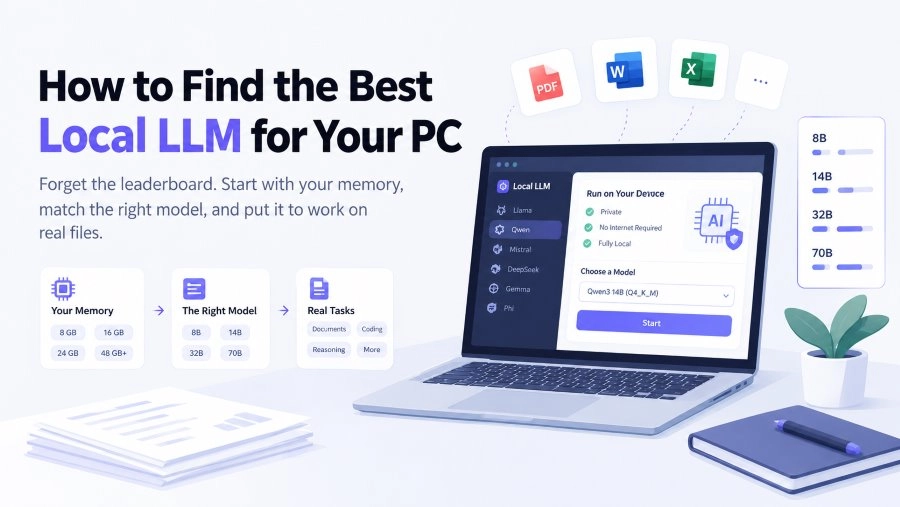
A model sitting at the top of a public leaderboard can still be the wrong choice for you. If it needs 40 GB of memory and your laptop has 8, the ranking stops being a decision and becomes a wish list. The field of open-weight models is broad enough that this happens constantly: the Ollama library alone carries Llama, Qwen, Gemma, DeepSeek, Mistral, Phi, gpt-oss and dozens of smaller families, most of them in four or five sizes.
So filter in this order: memory, then task, then version. Model families ship new tags every few months and each one generally replaces the one before, which is why choosing a family and a size class outlasts any fixed recommendation.
Every estimate rests on two numbers. Weights cost roughly 0.6 GB per billion parameters at Q4_K_M, the 4-bit build most runtimes hand you by default. The KV cache, which holds the conversation and the document you pasted, sits on top of that and grows with context length.
|
Model size |
Weights at Q4_K_M |
Card that fits it |
|
7B to 8B |
4 to 5 GB |
8 GB |
|
13B to 14B |
8 to 10 GB |
16 GB |
|
24B to 32B |
18 to 22 GB |
24 GB |
|
70B |
40 to 43 GB |
48 GB, or 64 GB unified memory |
The cache is where most first attempts fail. An 8B model needs about 6 GB at an 8K context and roughly 22 GB at 128K, so the download that felt comfortable in a short chat can stall once you feed it a 60-page report. Set the context window deliberately instead of accepting the advertised maximum, and if your runtime supports a quantized cache, enable it: it roughly halves cache memory for a quality difference most people will not notice in ordinary work.
Two habits prevent most of the pain. Stay at Q4_K_M unless you have memory to spare, and avoid dropping below Q4 to squeeze in a larger model: a 13B at Q4 and an 8B at Q8 occupy similar space, and the larger one holds up better on real work.
The decision here is how much quality fits before memory runs out. Qwen3 8B is the current all-rounder at this size, and Llama 3.1 8B is the well documented alternative that nearly every tutorial assumes. Gemma 3 at 4B leaves headroom for a long context, while Phi-4-mini handles short reasoning and extraction prompts on modest hardware.
The jump from 8 to 16 GB changes the experience more than any model name does. Qwen3 14B is the usual pick for general work, Gemma 4 at 12B adds image reading, and Phi-4 14B stays competitive on math and structured questions. When you want visible step-by-step reasoning, the DeepSeek R1 14B distill keeps its chain of thought.
Qwen3 30B-A3B is the model most people should try first here. It is a mixture-of-experts build that activates around 3B parameters per token, so it answers at small-model speed with mid-size quality. Qwen3 32B is the dense option when you would rather have consistent depth than raw speed, gpt-oss 20B is a compact reasoning model, and Mistral Small 3.2 24B fills the general-purpose slot.
Llama 3.3 70B remains the reference general model at this end of the range, whether the memory comes from a 48 GB card or 64 GB of unified memory on a Mac. The DeepSeek R1 70B distill covers reasoning-heavy work, and gpt-oss 120B suits large mixture-of-experts builds. Apple Silicon raises the ceiling because memory is shared, though tokens per second land below an equivalent discrete card.
Summarizing, comparing and extracting from PDFs or contracts is largely a reading task with long inputs, so a mid-size general model with a long context and steady instruction following is the natural fit. Qwen3 14B or Gemma 4 12B at a 32K context covers most of it, with one caveat that outlives every model choice: tables are the weak point of this whole category, so check numbers against the page.
Ask for the best local LLM for coding and the answer narrows to code-tuned builds, because completion and refactoring lean on training that general models only partly cover. Qwen3-Coder and Qwen3-Coder-Next are built for it, Devstral targets agent-style edits across files, and Qwen2.5-Coder remains a dependable fallback on older hardware. Match the size to your card rather than your ambition: a 30B coder model on a 24 GB card is a real assistant, while a 480B one belongs on a server.
DeepSeek R1 distills print their thinking before answering, which helps with multi-step problems and audit-style review, at the cost of longer output. Keep a 14B or 32B distill for questions that need the steps, and reach for a faster general model for everything else.
For machines without a GPU at all, Gemma 3 at 1B, Llama 3.2 at 1B or 3B and Qwen3 at 0.6B or 1.7B all run on CPU: slow, but usable for summarizing and reformatting short text.
Ollama is the shortest path. Install it, pull the family and size you chose, and it grabs the Q4_K_M build by default. LM Studio does the same job behind a desktop interface and labels which downloads match your memory, which helps while you are still comparing. Both expose a local endpoint, so anything that accepts an OpenAI-compatible base URL can point at your machine instead of a server.
Then verify. Turn off Wi-Fi and ask a question, and if it still answers, nothing left the device for that prompt. Watch memory while a long conversation grows, using nvidia-smi on Windows or the memory tab on a Mac, because the failure mode for a cache problem is a slowdown rather than an error message.
A model that answers prompts in a terminal is not yet a work surface. The files you actually care about are PDFs, Word documents and spreadsheets, and getting a usable output back means opening, reading and rewriting them, which is a layer above the model itself.
iBoomto AI is a desktop agent for Windows 10 and later that supplies that layer, and it asks for one decision at install: run on a small model deployed locally, or connect a model through an API. The local option keeps processing on your device, with a tradeoff worth stating plainly, since a small model is limited by your hardware and will be slower and less capable than the large ones above. The API route reaches stronger models but sends your files off the machine. Neither path is described in vague terms inside the app.

 Free Download Now
What you get once a model is attached is a workspace rather than a chat box. AI Summary produces an overview of a file you drop in. AI Chat lets you keep asking about it with the source visible in the left panel. Tool Discover holds the output tools, among them Edit PDF, Generate Word, Excel, PowerPoint, PDF and Mind Map, plus Extract Text. That last part matters most for a local setup, because the friction after choosing a model is rarely the model. It is the handoff from a summary to a document you can edit.
Free daily credits cover light use, and signing in keeps your chat history synced across sessions.
Can I run a local LLM without a GPU? Yes, at the small end. Models in the 0.6B to 3B range run on a CPU, which is fine for summarizing and reformatting, though expect several seconds per answer.
Does running a model locally keep my files private? By default the prompt stays on your hardware, which is a real difference. It is not automatic protection, though: folders synced to a cloud drive, a local web interface exposed to your network, or a browser extension reading the page can all move data anyway.
How much memory does a 70B model need? Around 40 to 43 GB at Q4_K_M before the cache, so a 48 GB card or a Mac with 64 GB of unified memory. At long context the cache can add another 10 GB or more.
Do I need Ollama installed to use iBoomto? No. iBoomto handles model selection inside the app, either a small local model deployed at install or an API-connected model, so you are not running a separate inference server alongside it.
The best local LLM is not the one at the top of a chart. It is the largest model your memory can hold at Q4, matched to the job in front of you, kept on its current release. Pick the tier, then the family, then give the model something real to work on.